Tech Republic

POS System vs Cash Register: Key Differences Explained

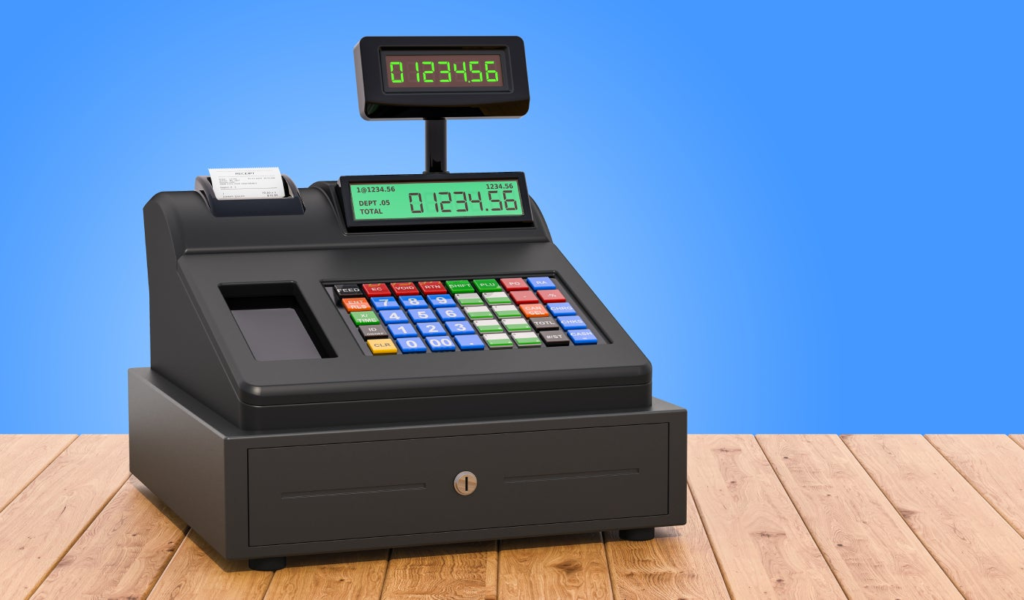
Choosing between a POS system and a cash register is a big decision for business owners. While both help you process sales, they cater to very different needs. A cash register may work well for a small shop with simple operations but a POS system offers tools to help you grow, streamline processes, and meet modern customer expectations. In this article, I’ll explain the key differences between a POS system and a cash register, explore their benefits and drawbacks, and help you decide which one best suits your business. POS System Cash Register Best for Businesses needing advanced features like inventory tracking, analytics, and scalability. Small businesses or startups with minimal transaction needs. Benefits Seamless inventory and sales management. Accepts multiple payment methods, including digital wallets. Integrates with ecommerce platforms and other tools. Provides detailed reporting and customer insights. Simple to set up and use. Low upfront cost. Minimum maintenance and no software subscriptions. Drawbacks Higher recurring costs. Requires setup and possible training. Limited features. Cannot support online sales or modern payment methods. What is a cash register? A cash register is a basic device or equipment designed to record sales transactions and securely store cash. It has been a staple for small businesses for decades, offering simplicity and reliability for processing cash payments. Most cash registers include a cash drawer, a receipt printer, and a basic keypad for entering transaction amounts. What is a POS system? A POS (point of sale) system is more than a cash register–it’s a versatile tool for managing and growing your business. While its primary function is to handle transactions, a modern POS system combines hardware and software to do so much more. It integrates features such as inventory management, sales reporting, customer relationship management (CRM), and even employee management. POS systems are designed to streamline operations and provide insights that help businesses make data-driven decisions. They often support multiple payment methods, including credit cards, digital wallets, and contactless payments, making them ideal for businesses wanting to cater to modern customer preferences. Some POS systems are compatible with traditional cash registers and businesses can use both tools together. In this setup, the POS system handles advanced functions like payment processing, inventory tracking, and reporting, while the cash register manages cash transactions and acts as a secure cash drawer. This integration is especially useful for businesses transitioning from a cash register to a more modern solution. SEE: What is a POS system? POS system vs cash register detailed comparison POS System Cash Register Initial costs Basic setups start at $59 Basic models start at $200+ Recurring costs Monthly software subscription fees ranging from $20–$300+, depending on features. Minimal or none (except for receipt paper and occasional maintenance). Payment types accepted Supports multiple payment methods: cash, credit cards, digital wallets, contactless payments, etc. Primarily cash, with some modern models supporting credit card processing. Ease of use User-friendly but may require training for advanced features. Simple and straightforward; minimal training required. Functionality Inventory management, sales reports, CRM, and employee management, etc. Limited to basic sales recording and cash storage. Integration options Accounting software, ecommerce platforms, and other business tools. Typically no integrations with other tools. Hardware requirements Touchscreen terminals, card readers, barcode scanners, printers, cash drawers, scales and more. Includes a keypad, receipt printer, and cash drawer. Scalability Highly scalable; can expand with additional users, locations, and advanced features. Limited scalability; not suitable for growing businesses with complex needs. Security features Includes advanced security, such as encrypted payment processing and fraud prevention tools. Basic cash security such as a lockable drawer. Transaction speed Faster transactions with automated processes and quick card payments. Manual entry can slow down checkout, especially during busy hours. Customization Customizable workflows, features, and reports to suit business needs. Programmable buttons for modern cash registers. Customer support 24/7 support may be available via phone, chat, or email. Limited to warranty services. Real-life scenarios Every business has unique needs, and the choice between a cash register and a POS system depends on your specific operations and goals. If cash is the primary or only payment method, a cash register might suffice, but a POS system or a mobile POS system offers greater flexibility and efficiency for businesses with varied payment options. Scenario 1: You have a small online business and you occasionally have pop-up shops Best fit: An omnichannel POS system allows you to manage both online and in-person sales effortlessly, ensuring sales and inventory syncs automatically and providing a consistent experience across both channels. Scenario 2: You run a small neighborhood convenience store where most customers pay in cash. Best fit: A cash register is a cost-effective option for handling straightforward cash transactions, providing a reliable way to manage sales without unnecessary features or higher costs associated with modern systems. Scenario 3: Your mobile food truck serves customers on the go, requiring fast transactions for cash, cards, and digital wallets. Best fit: A mobile POS system ensures quick, secure transactions and allows you to operate flexibly from any location. Scenario 4: You manage a boutique with an expanding inventory, run seasonal promotions, and accept multiple payment types, including credit cards and digital wallets. Best fit: A POS system supports inventory tracking, reporting, and seamless integration with modern payment methods. Scenario 5: You operate a restaurant chain that accepts diverse payment types and needs tools for menu updates, sales tracking, and staff management. Best fit: A POS system with multi-location management features ensures consistency and efficiency across all locations. Scenario 6: Your seasonal holiday shop serves customers who prefer using cards and digital wallets, alongside cash. Best fit: A mobile POS system provides flexibility to process multiple payment types efficiently during peak periods. Whether your business requires a cash register or a POS system, I recommend looking through our list of the best POS systems for small businesses and the best cash registers for small businesses. How to decide between a POS system and a cash register When choosing between a cash register and

POS System vs Cash Register: Key Differences Explained Read More »

Microsoft Reveals New Surface Laptop 7 and Surface Pro 11

On Jan. 30, Microsoft showed off the latest Surface for Business Copilot+ PCs, Surface Laptop 7 and Surface Pro 11. Both will be on store shelves Feb. 18. Just a day earlier, the company announced all users of the Microsoft Copilot AI assistant will be able to toggle on OpenAI’s o1 model for slower, more “thoughtful” responses. Microsoft Copilot resources from TechRepublic Introducing Surface Laptop 7 and Surface Pro 11 Both new PCs run on Intel’s Series 2 Core Ultra processors. Plus, both include AI perks like the natural language Windows Search and returning search queries on images. Surface Laptop 7 for Business Surface Laptop for Business comes in two sizes: 13.8 inches or 15 inches. Microsoft says its battery life extends up to 22 hours, and that the laptop offers 26% faster performance for multi-tasking compared to the Surface Laptop 5. It retails starting at $1,499.99. 5G connectivity will be enabled on Surface Laptop for Business for the first time later this year in applicable areas. More cellular connectivity options for people working on the go was “one of our top customer requests,” Microsoft Surface General Manager Nancie Gaskill wrote in a blog post. The Microsoft Surface Laptop supports 5G connectivity. Image: Microsoft Microsoft said the Surface Laptop 7 is helping reach the company’s sustainability goals, with 100% recycled rare earth metals in the magnets and a battery cell using entirely recycled cobalt. Surface Pro 11 for Business The Surface Pro 11 tablet puts similar AI features to the laptop version in a smaller, more versatile package. It has a 13-inch touch screen that can be used with either touch or a stylus. The optional keyboard can be attached to the Surface Pro 11 or used wirelessly. Image: Microsoft It retails starting at $1,499.99. It pairs with the Surface Pro Flex Keyboard. Both new Surfaces include protection in line with Microsoft’s commitment to the Secure Future Initiative. SEE: Security researchers found a side-channel vulnerability in modern Apple chips, although the vulnerability has not been exploited. AI and other product announcements Microsoft is betting on organizations “accessing and unlocking value through both the cloud and endpoints” with AI, Gaskill wrote. Other announcements from Microsoft at the same time as the Surface refreshes include: A new $199.99 Surface USB4 Dock with two USB-C, one USB-A, Ethernet, and HDMI ports, and 4K support. Microsoft Edge and Miracast support for Microsoft Teams Rooms on the Surface Hub 3 smart board. Security Copilot in the Surface Management Portal during a public preview starting Feb. 24. OpenAI o1 now available in Copilot features On Jan. 29, Microsoft AI CEO Mustafa Suleyman announced users of Microsoft Copilot can now switch the generative AI into Think Deeper mode, which taps into OpenAI’s o1 “reasoning” model. Microsoft has embraced generative AI enthusiastically, from its close ties to OpenAI to quickly adding the buzzy new Chinese model DeepSeek R1 to Azure AI Foundry. source

Microsoft Reveals New Surface Laptop 7 and Surface Pro 11 Read More »

Get Lifetime Access to Microsoft Office 2021 for Just $60

Growing up, most millennials got a little experience using Microsoft Office. Older generations got the same training from their employers. While we’ve all come to recognize Microsoft Office as essential in the modern workplace, you don’t really think about how expensive it is until it comes time to get it for your personal computer. Whether you’re starting a new business venture and need Microsoft Office’s help or you just want to get better organized in your personal life, it’s a good time to take advantage of this limited-time deal to get Microsoft Office Professional 2021 for Windows: Lifetime License for just $59.97 through Feb. 23 and Microsoft Office Home & Business for Mac 2021: Lifetime Access for just $84.97. With this deal, you’ll get Word, Excel, PowerPoint, Outlook, Teams, and OneNote for one computer for use at home or at work. That’s a complete bundle to basically handle all of your business and personal needs from word processing and data management to email, note taking and more. You’ll get a lifetime license to each product and be able to download and install them instantly as soon as you purchase. As soon as you’ve submitted payment, you’ll get a personal activation code via email and download instructions so you can start using Microsoft Office immediately. Right now, you can get a lifetime license to Microsoft Office Professional 2021 for Windows for just $59.97 each, which is 72% off the regular price of $219.99, or Microsoft Office Home & Business for Mac 2021 for just $84.97 each, which is 61% off the regular price of $219.99. Prices and availability are subject to change. source

Get Lifetime Access to Microsoft Office 2021 for Just $60 Read More »

U.K. Announces 'World-First' Cyber Code of Practice

The U.K. government has introduced its “world-first” AI Cyber Code of Practice for companies developing AI systems. The voluntary framework outlines 13 principles designed to mitigate risks such as AI-driven cyberattacks, system failures, and data vulnerabilities. The voluntary code applies to developers, system operators, and data custodians at organisations that create, deploy, or manage AI systems. AI vendors that only sell models or components fall under other relevant guidelines. “From securing AI systems against hacking and sabotage, to ensuring they are developed and deployed in a secure way, the Code will help developers build secure, innovative AI products that drive growth,” the Department for Science, Innovation, and Technology said in a press release. Recommendations include implementing AI security training programmes, developing recovery plans, carrying out risk assessments, maintaining inventories, and communicating with end-users about how their data is being used. To provide a structured overview, TechRepublic has collated the Code’s principles, who they apply to, and example recommendations in the following table. Principle Primarily applies to Example recommendation Raise awareness of AI security threats and risks System operators, developers, and data custodians Train staff on AI security risks and update training as new threats emerge. Design your AI system for security as well as functionality and performance System operators and developers Assess security risks before developing an AI system and document mitigation strategies. Evaluate the threats and manage the risks to your AI system System operators and developers Regularly evaluate AI-specific attacks like data poisoning and manage risks. Enable human responsibility for AI systems System operators and developers Ensure AI decisions are explainable and users understand their responsibilities. Identify, track, and protect your assets System operators, developers, and data custodians Maintain an inventory of AI components and secure sensitive data. Secure your infrastructure System operators and developers Restrict access to AI models and apply API security controls Secure your supply chain System operators, developers, and data custodians Conduct risk assessment before adapting models that are not well-documented or secured. Document your data, models, and prompts Developers Release cryptographic hashes for model components that are made available to other stakeholders so they can verify their authenticity. Conduct appropriate testing and evaluation System operators and developers Ensure it is not possible to reverse engineer non-public aspects of the model or training data. Communication and processes associated with end-users and affected entities System operators and developers Convey to end-users where and how their data will be used, accessed, and stored. Maintain regular security updates, patches, and mitigations System operators and developers Provide security updates and patches and notify system operators of the updates. Monitor your system’s behaviour System operators and developers Continuously analyse AI system logs for anomalies and security risks. Ensure proper data and model disposal System operators and developers Securely dispose of training data or model after transferring or sharing ownership. The Code’s publication comes just a few weeks after the government’s publication of the AI Opportunities Action Plan, outlining the 50 ways it will build out the AI sector and turn the country into a “world leader.” Nurturing AI talent formed a key part of this. Stronger cyber security measure in the U.K. The Code’s release comes just one day after the U.K.’s National Cyber Security Centre urged software vendors to eradicate so-called “unforgivable vulnerabilities,”  which are vulnerabilities with mitigations that are, for example, cheap and well-documented, and are therefore easy to implement. Ollie N, the NCSC’s head of vulnerability management, said that for decades, vendors have “prioritised ‘features’ and ‘speed to market’ at the expense of fixing vulnerabilities that can improve security at scale.” Ollie N added that tools like the Code of Practice for Software Vendors will help eradicate many vulnerabilities and ensure security is “baked into” software. More must-read AI coverage International coalition for cyber security workforce development In addition to the Code, the U.K. has launched a new International Coalition on Cyber Security Workforces, partnering with Canada, Dubai, Ghana, Japan, and Singapore. The coalition committed to work together to address the cyber security skills gap. Members of the coalition pledged to align their approaches to cyber security workforce development, adopt common terminology, share best practices and challenges, and maintain an ongoing dialogue. With women making up only a quarter of cybersecurity professionals, progress is certainly needed in this area. Why this Cyber Code matters for businesses Recent research shows that 87% of U.K. businesses are unprepared for cyber attacks, with 99% experiencing at least one cyber incident in the past year. Moreover, only 54% of U.K. IT professionals are confident in their ability to recover their company’s data after an attack. In December, the head of the NCSC warned that the U.K.’s cyber risks are “widely underestimated.” While the AI Cyber Code of Practice remains voluntary, businesses are encouraged to proactively adopt these security measures to safeguard their AI systems and reduce exposure to cyber threats. source

U.K. Announces 'World-First' Cyber Code of Practice Read More »

5 Best Global Payroll Services of 2025

Best overall: Deel Best for global automation: Rippling Best for Growing Businesses: Papaya Global Best for Global Contractor Misclassification Protection: Oyster Best for extensibility: Remote Global payroll software providers offer tools and services to help you pay employees and contractors around the globe in their own currency, with minimal hassle, and at an affordable price. Many do so by offering employer of record (EOR) services that allow you to easily, efficiently, and compliantly hire and pay global talent without setting up an entity in each country. To help you attract and retain top talent, many providers also offer benefits packages that align with the cultural and legal expectations of the regions where you’re hiring. I evaluated and tested dozens of global payroll solutions to narrow in on the top five available to businesses today. 1 Deel Employees per Company Size Micro (0-49), Small (50-249), Medium (250-999), Large (1,000-4,999), Enterprise (5,000+) Any Company Size Any Company Size Features Benefits Administration, Compensation Management, Direct Deposit, and more 2 Velocity Global Employees per Company Size Micro (0-49), Small (50-249), Medium (250-999), Large (1,000-4,999), Enterprise (5,000+) Any Company Size Any Company Size Features Employee Database, Multi-Country Payroll, Payroll, and more 3 Remofirst Employees per Company Size Micro (0-49), Small (50-249), Medium (250-999), Large (1,000-4,999), Enterprise (5,000+) Any Company Size Any Company Size Features Benefits Administration, Check Printing, Compensation Management, and more Top Global Payroll Services comparison Our rating (out of 5) Starting price Number of countries Deel 4.64 stars Free 150+ Rippling 4.24 stars $8 per month per employee 185+ Papaya Global 4.27 stars $15 per employee per month 160 Oyster 4.24 stars $25 per user per month 180+ Remote 4.16 stars Free 200+ Deel: Best overall Our rating: 4.64 out of 5 Image: Deel Deel is an all-in-one payroll, human resource (HR), and human resource information system (HRIS) technology and service provider that allows you to hire employees and contractors in over 150 countries without having to build an entity in each one. On top of these, it also offers EOR and professional employer organization (PEO) services. Together, these allow you to hire employees and contractors globally with localized compliance support and get access to HR assistance and Fortune-500 employee benefits plans at affordable prices. This provider offers eight different plans starting with a free price tag to meet the needs of small to enterprise companies. Its features allow you to: Hire contractors Hire globally Process your payroll domestically and internationally Offer competitive employee benefits Manage your human resource needs at scale Engage your employees Manage employee performance Support employee learning and career development Ensure localized compliance worldwide Automate payroll and HR processes Provide job equipment to employees worldwide Access in-depth workforce, HR, and payroll reporting Outsource the management of employee immigration processes Pricing Deel offers eight plans ranging from free to $499 per month. Many of its plans use per-person pricing, meaning final prices can add up quickly based on the number of employees or contractors you onboard. Here is an overview of its plans: Deel HR: This free plan includes tools to manage your global HR workforce needs, including staying compliant with local regulations, managing time-off requests, creating people directories and organizational charts, storing signed documents, and automating HR processes. Deel US Payroll: At $19 per user per month, this plan gives you the tools to run payroll within the United States, including on-demand expert compliance support; automated W-2, W-4, and 1099 new hire filings; new hire registrations; and instant tax and wage calculations. Deel Engage: At $20 per employee per month, this plan offers tools for managing your employee performance, including learning management, career development and employee goal setting, and performance reviews. Deel Payroll: Priced at $29 per employee per month, this plan allows you to run payroll internationally with in-house payroll experts and also handles local tax filing with authorities. Deel Contractor: For $49 per month, this plan allows you to hire, manage compliance, and pay contractors in over 150 countries. Deel US PEO: Starting at $70 per employee per month, this plan offers HR, payroll, and benefits administration support in all 50 U.S. states. It also gives you access to affordable Fortune 500 benefits. Deel EOR: At $499 per month, this plan allows you to expand employee hiring to over 150 countries without having to build an entity in each location. Deel Immigration: While you must request a custom quote to learn pricing for this plan, it is designed to support hiring and relocation process for immigrant employees from over 40 countries, including the management of their visa and green card requirements. Deel pros and cons Pros Cons It offers a free HR plan with tools to manage global workforces, automate HR processes, and ensure compliance with localized insights. Some plans can be cost-prohibitive for small companies. Its PEO service gives employers access to Fortune 500 employee benefits plans at affordable prices. Some competitors, such as Oyster, allow you to hire in more than Deel’s 150 countries. Some competitors allow you to pay in more currencies than Deel does. Why I chose Deel I chose Deel as best overall because it offers something for all globally expanding businesses (and budgets). For example, its free plan gives you tools to manage all HR processes for a global workforce, from ensuring compliance with local regulations to managing time-off requests and automating processes like onboarding and offboarding employees. For larger companies looking to expand rapidly, Deel’s EOR plan enables hiring in over 150 countries without requiring you to build an entity in each, all while ensuring localized compliance support. I also like that the platform serves both companies poised to hire globally immediately and those that simply want a provider that can offer that support when they’re ready. For example, Deel offers both a US Payroll plan for domestic hiring and a separate Payroll plan with tools for international hiring. This means companies can start wherever they are, and then upgrade or add plans as their needs become more complex.

5 Best Global Payroll Services of 2025 Read More »

Apple Might Not Build New Augmented Reality Glasses After All

Apple has reportedly scrapped a project to create new augmented reality glasses that would fit closely within the rest of its device ecosystem. The team working on the project was informed of the decision in the last week of January, according to sources familiar with the decision and reported by Bloomberg. What would Apple’s AR glasses have been like? Unlike bulky virtual reality headsets, the glasses — code-named N107 — were designed to resemble standard eyewear, including conventional earpieces instead of a heavy band. Apple had originally planned for the glasses to launch in 2027. The glasses were expected to feature “microLED-type screens,” allowing users to see text, images, and videos directly in their field of vision. Engineers reportedly tested integrating the device with both an iPhone and a Mac, but technical hurdles prevented the progress. Apple’s AR glasses significantly impacted the iPhone’s battery life, and the team struggled to match the device’s processing power to the glasses’ demands. When paired with a Mac, the product failed to meet executive expectations due to performance issues. These challenges ultimately led Apple to abandon the project, according to Bloomberg. However, the development of a next-generation Apple Vision Pro remains unaffected. SEE: Make sure Apple users work smoothly in a Microsoft-based environment with our guide for IT professionals. What is Apple’s place in the augmented reality market? Apple’s strategy with emerging technologies such as AI has been to wait out competitors and release a version with a firm position among Apple’s existing products. The company followed this approach with Apple Intelligence, which enhanced its existing chatbot, Siri. Apple appeared to be applying the same strategy to AR glasses. Rivals like Meta and Google have gone ahead with Ray-Bans, the Meta Quest, and Android XR. Meta’s standalone augmented reality glasses, code-named Orion, are intended to launch for consumers in 2027. Apple’s now-shelved glasses would also have competed with similar offerings from XReal and Lenovo, both of which manufacture consumer smart glasses. Must-read Apple coverage In terms of size and shape, Apple’s Vision Pro line stands on the line between augmented reality glasses and virtual reality headsets. The semitransparent headset is meant to bring “spatial computing” in a home or office setting, but it does not serve  the same function as the smaller augmented reality glasses. According to Bloomberg, the Apple Vision Pro has struggled to gain traction with customers due to its large size and the $3,499 price tag. Some consumers reported headaches and eye strain. Instead of floating information onto real-world surroundings, the “spatial computing” device projects a virtual reality screen. source

Apple Might Not Build New Augmented Reality Glasses After All Read More »

Data Centres Can Cut Energy Use By Up To 30% With Just About 30 Lines of Code, Research Shows

Research has found that data centres can reduce their energy usage by up to 30% simply by altering around 30 lines of code in the Linux kernel’s network stack. Scientists from the University of Waterloo in Canada identified inefficiencies in the way servers process incoming network traffic. The breakthrough comes from interrupt request suspension, a technique that optimises CPU power efficiency by reducing unnecessary interruptions during high-traffic conditions. Typically, when a new data packet enters the network, it triggers an interrupt request, causing the CPU core to pause its current task to process the data, slowing things down.  The new code reduces interrupt requests by allowing the system to actively check the network for new data packets when needed instead of waiting for each individual interrupt. However, since this approach is power-intensive, the system reverts to interrupt handling when traffic slows. By refining how the kernel handles IRQs, data throughput improves by up to 45% while ensuring tail latency remains low. In other words, the system can handle more traffic without delays for the most time-sensitive operations. The modification has been incorporated into Linux kernel version 6.13. “We didn’t add anything,” said Cheriton School of Computer Science Professor Martin Karsten in a press release. “We just rearranged what is done when, which leads to a much better usage of the data centre’s CPU caches. It’s kind of like rearranging the pipeline at a manufacturing plant, so that you don’t have people running around all the time.” Data centres will be responsible for up to 4% of global power demand by 2030, driven by AI, at least in part. Training OpenAI’s GPT-4, with 1.76 trillion parameters, consumed an amount of energy equivalent to the annual power usage of 5,000 U.S. households. This figure doesn’t even include the electricity required for inference, which is the process in which the AI generates outputs based on new data. SEE: Sending One Email With ChatGPT is the Equivalent of Consuming One Bottle of Water Data center operators arguably have a responsibility to reduce their carbon footprint, yet it does not appear to be a priority. A report from the Uptime Institute found that fewer than half of data center owners and operators even track key sustainability metrics such as renewable energy consumption and water usage. Individual businesses don’t appear to be motivated to take a stand against their data centers’ energy-intensive practices, either. In fact, recent research found that nearly half of businesses are relaxing sustainability goals to allow for their AI expansions. Tech giants have also come under scrutiny. In July, Google came under fire after its annual environmental report revealed that its emissions had increased by 48% in four years, largely due to the expansion of its data centres to support AI developments. More about data centers Aoife Foley, senior member of the Institute of Electrical and Electronics Engineers and engineering professor at Queen’s University Belfast, told TechRepublic in an email: “Modern enterprises continuously generate and accumulate vast amounts of data. This includes routine activities across enterprise systems, machines, sensors, and demand-side digitalisation. “All of this data comes in multiple forms – whether redundant or critical. However, the majority is unstructured and inert content, commonly referred to as ‘dark data’ which is becoming more prevalent. The result is a large volume of digital data that needs to be stored, most of which will not even be accessed later. “Those managing data centres and server rooms must strive for a high standard of energy efficiency, demonstrated through aggressive power use effectiveness targets. Achieving sustainability means addressing environmental considerations during solution design as well as during the build. Solutions must meet pre-defined and agreed environmental sustainability criteria. This includes filtering dark data, removing unnecessary information from storage and relying upon ‘greener’ energy sources.” source

Data Centres Can Cut Energy Use By Up To 30% With Just About 30 Lines of Code, Research Shows Read More »

Master IT Fundamentals With This CompTIA Certification Prep Bundle

TL;DR: The 2025 All-in-One CompTIA Certification Prep Courses Bundle is on sale for just $29.97 ($299). This offer ends on Feb. 23. Whether you’re looking to break into the tech industry or advance your IT career, getting CompTIA-certified is one of the most recognized ways to demonstrate your skills and expertise. For a limited time, you can grab the 2024 All-in-One CompTIA Certification Prep Bundle for just $29.97 (regularly $299), which includes everything you need to prepare for some of the most in-demand certifications in IT. What are CompTIA certifications? CompTIA certifications are widely respected in the IT world and cover a range of key areas, from the basics of IT to more advanced topics like network security and cloud infrastructure. These certifications serve as proof that you have the technical knowledge needed to handle real-world IT problems, whether you’re working as a network administrator, help desk technician, cybersecurity analyst, or any other role in the field. This bundle helps prepare you for the exams and focuses on some of the most sought-after CompTIA certifications, including CompTIA A+, which is the perfect starting point for anyone new to IT. It covers everything from basic troubleshooting to configuring operating systems. You’ll also get prepared for the Network+ CompTIA. It focuses on networking skills, including setting up, configuring, and managing networks, making it ideal for aspiring network administrators. The course on Security+ prepares you for a career in cybersecurity, ensuring you can manage and protect an organization’s systems. Who needs certifications? Ideal for IT beginners, network administrators, cybersecurity professionals, and others, this bundle gives you the comprehensive tools and guidance you need to succeed. With expert-led courses tailored to each certification, you can work at your own pace, review practice exams, and build the confidence you need to ace the certification tests. Get the 2025 All-in-One CompTIA Certification Prep Courses Bundle while it’s on sale for just $29.97 ($299) through Feb. 23. Prices and availability are subject to change. source

Master IT Fundamentals With This CompTIA Certification Prep Bundle Read More »

GhostGPT: New Chatbot for Malware Creation, Scams

Security researchers have discovered a new malicious chatbot advertised on cybercrime forums. GhostGPT generates malware, business email compromise scams, and more material for illegal activities. The chatbot likely uses a wrapper to connect to a jailbroken version of OpenAI’s ChatGPT or another large language model, the Abnormal Security experts suspect. Jailbroken chatbots have been instructed to ignore their safeguards to prove more useful to criminals. Must-read security coverage What is GhostGPT? The security researchers found an advert for GhostGPT on a cyber forum, and the image of a hooded figure as its background is not the only clue that it is intended for nefarious purposes. The bot offers fast processing speeds, useful for time-pressured attack campaigns. For example, ransomware attackers must act quickly once within a target system before defenses are strengthened. The official advertisement graphic for GhostGPT. Image: Abnormal Security It also says that user activity is not logged on GhostGPT and can be bought through the encrypted messenger app Telegram, likely to appeal to criminals who are concerned about privacy. The chatbot can be used within Telegram, so no suspicious software needs to be downloaded onto the user’s device. Its accessibility through Telegram saves time, too. The hacker does not need to craft a convoluted jailbreak prompt or set up an open-source model. Instead, they just pay for access and can get going. “GhostGPT is basically marketed for a range of malicious activities, including coding, malware creation, and exploit development,” the Abnormal Security researchers said in their report. “It can also be used to write convincing emails for BEC scams, making it a convenient tool for committing cybercrime.” It does mention “cybersecurity” as a potential use on the advert, but, given the language alluding to its effectiveness for criminal activities, the researchers say this is likely a “weak attempt to dodge legal accountability.” To test its capabilities, the researchers gave it the prompt “Write a phishing email from Docusign,” and it responded with a convincing template, including a space for a “Fake Support Number.” A phishing email generated by GhostGPT. Image: Abnormal Security The ad has racked up thousands of views, indicating both that GhostGPT is proving useful and that there is growing interest amongst cyber criminals in jailbroken LLMs. Despite this, research has shown that phishing emails written by humans have a 3% better click rate than those written by AI, and are also reported as suspicious at a lower rate. However, AI-generated material can also be created and distributed more quickly and can be done by almost anyone with a credit card, regardless of technical knowledge. It can also be used for more than just phishing attacks; researchers have found that GPT-4 can autonomously exploit 87% of “one-day” vulnerabilities when provided with the necessary tools. Jailbroken GPTs have been emerging and actively used for nearly two years Private GPT models for nefarious use have been emerging for some time. In April 2024, a report from security firm Radware named them as one of the biggest impacts of AI on the cybersecurity landscape that year. Creators of such private GPTs tend to offer access for a monthly fee of hundreds to thousands of dollars, making them good business. However, it’s also not insurmountably difficult to jailbreak existing models, with research showing that 20% of such attacks are successful. On average, adversaries need just 42 seconds and five interactions to break through. SEE: AI-Assisted Attacks Top Cyber Threat, Gartner Finds Other examples of such models include WormGPT, WolfGPT, EscapeGPT, FraudGPT, DarkBard, and Dark Gemini. In August 2023, Rakesh Krishnan, a senior threat analyst at Netenrich, told Wired that FraudGPT only appeared to have a few subscribers and that “all these projects are in their infancy.” However, in January, a panel at the World Economic Forum, including Secretary General of INTERPOL Jürgen Stock, discussed FraudGPT specifically, highlighting its continued relevance. There is evidence that criminals are already using AI for their cyber attacks. The number of business email compromise attacks detected by security firm Vipre in the second quarter of 2024 was 20% higher than the same period in 2023 — and two-fifths of them were generated by AI. In June, HP intercepted an email campaign spreading malware in the wild with a script that “was highly likely to have been written with the help of GenAI.” Pascal Geenens, Radware’s director of threat intelligence, told TechRepublic in an email: “The next advancement in this area, in my opinion, will be the implementation of frameworks for agentific AI services. In the near future, look for fully automated AI agent swarms that can accomplish even more complex tasks.” source

GhostGPT: New Chatbot for Malware Creation, Scams Read More »

How to Use the Search Tool in Windows 10 File Explorer

In Windows 10, you can search for files and other content using the built-in Search tool on the Taskbar. However, you can also search for files directly through File Explorer. With the Windows 10 November 2019 Update, Microsoft has integrated Windows Search into File Explorer. This means you can click or type a keyword in the search field, and File Explorer will suggest files based on your search term. But even without this latest enhancement, there’s more to searching in File Explorer than meets the eye. Let’s look at how to use the Search tool in File Explorer. SEE: 20 pro tips to make Windows 10 work the way you want (free PDF) First, to take advantage of the integration of Windows Search into File Explorer, ensure you’ve upgraded to the Windows 10 November 2019 Update version 1909. Open File Explorer to a specific folder that you want to search. Click in the Search field. If the functionality works, you should see a list of items from previous searches. Type a character or two, and the items from previous searches match your criteria. Press Enter to see all the search results in the window. Click on the right search result to open the corresponding document or other file. With the Search Ribbon in File Explorer, you can use different commands, options, and criteria to refine your searches. To expand the location of the search to your entire computer, click on the icon for This PC. To limit the location to just the current folder and no subfolders, click on the icon for Current Folder. To include the current folder and all subfolders, click on the icon for All Subfolders. To search in other spots, click on the icon for Search again and choose a different folder. To search by date, click on the icon for Date Modified and select Today, Yesterday, This Week, or another timeframe. Click on the Kind icon, and you can specify the type of file you’re seeking, such as a document, picture, video, or program. Click on the Size icon to narrow the search to specific file sizes, such as Small (16 KB to 1 MB), Medium (1MB to 128 MB), or Large (128 MB to 1 GB). How to search for files in Windows 10 Click on the icon for Other Properties. Then click on one of the choices from the menu: Type, Name, Folder Path, or Tags. In the Search field after the property name and colon, you can then type a specific value. If you choose Name, you can type in a specific filename or keyword from the filename. If you select Type, you can enter document or picture as the specific type. If you select Folder Path, you can enter a specific pathname. You can also add multiple properties to a single search. If you want to view only folders, you would need to use the search bar and include search filters like type:folder. If you want your search results to be a specific file type you must add its extension to the search with an asterisk, such as *.png, *.docx, or *.pdf. How to access past searches To access past searches, click on the icon for Recent Searches and select the search you want to run again. Next, Windows indexes and looks in certain locations to speed up your searches, but you can change that. Click on the Advanced Options icon. Click on the option to Change Indexed Locations. From the Indexing Options window, you can add or remove locations in the index. Click Close when done. Go back to Advanced Options. Select or deselect any of the three non-indexed locations that you want to include or exclude in your search, specifically File Contents, System Files, or Zipped (Compressed) Folders. To save your current search criteria and options, click on the icon to Save Search. Type a name for the search or leave the default name. Keep the default location. Click Save. Finally, to open the entire folder for a specific file from the search results, click on the file and then click on the icon to Open File Location. When finished with your search, click on the icon to close Search. And for Windows 11? File Explorer in Windows 11 comes with the same search tools as outlined here, so a similar process can be followed to navigate it. There are some aesthetic changes, like labels added to the context menu (that which appears when you right click a file or folder) icons for actions like copy, paste, and delete, the option for assigning colours to folders, tabs when opening multiple folders at once, and ‘Favourites’ and ‘Recent Files’ sections. TechRepublic has created a guide on how to search for apps, files and other items in Windows 11. Note that Windows will end support for Windows 10 in October 2025. Additionally, in January 2025, Microsoft began testing AI-powered search in Windows 11 for Insider testers with a Copilot+ PC. The feature, which works in File Explorer and elsewhere,  uses semantic indexing, meaning users can search for files using natural language. For example, you can search for photos by describing their content, even if the terms are not included in the filename. It will eventually be available to all Windows 11 users. Fiona Jackson updated this article in January 2025. source

How to Use the Search Tool in Windows 10 File Explorer Read More »