CIO CIO

Will the end of Windows 10 accelerate CIO interest in AI PCs?

Mainelli acknowledges that most of the practical use cases on AI PCs will be many of the same things people use AI in the cloud for today — content creation, content editing, text summarization, language translation, automation of repetitive tasks, prototyping, personalization, predictive insights, and virtual assistants — but  they will run locally on the device making it faster, cheaper, more private, and more secure. Allocating some AI workloads to PCs offers CIOs other benefits, he says, noting that Microsoft will continue to make its Copilot+ applications available in the cloud. “The vision around AI PCs is that, over time, more of the models, starting with small language models, and then quantized large language models … more of those workloads will happen locally, faster, with lower latency, and you won’t need to be connected to the internet and it should be less expensive,” the IDC analyst adds. “You’ll pay a bit more for an AI PC but [the AI workload is] not on the cloud and then arguably there’s more profit and it’s more secure.” source

Will the end of Windows 10 accelerate CIO interest in AI PCs? Read More »

The evolution of IT optimization is AIOps

It could be said that the beginning of the IT optimization movement started with monitoring. The idea behind IT monitoring is that it determines how IT infrastructure and its underlying components perform in real time in order to make data-driven decisions for resource provisioning, IT security, or to evaluate usage trends. But monitoring was just the beginning. Observability was the next phase. And while it’s been around for about 10 years, in the last few years it’s really started to gain traction — especially with business imperatives like moving to the cloud and supporting remote workers. Unfortunately, for many large enterprises, a lot of the efforts to optimize IT systems using observability data has led to tool sprawl and more work for IT professionals to manage the tools versus the value they bring to the business. It is not uncommon for large enterprises to have 15 to 20 observability tools. That produces too many signals for IT to sift through, which overwhelms IT teams. It’s difficult to make sense of all of these signals — especially when dealing with major incidents. For IT leaders, applying the appropriate technology to the task at hand becomes imperative when dealing with alert deluge, complexity, rapid changes, and fast-paced innovation. AIOps can help you deliver IT optimization with the bonus of automation The right artificial intelligence for IT operations (AIOps) solutions in your environment can help make sense of the mountain of data coming in from observability tools, and even automate issue remediations at the service level. This helps make sure all of your business services are optimized, automated, and delivering for your customers, employees, and other end-users. AIOps and observability data work better together AIOps uses AI and machine learning (ML) to automate IT Ops, from reconciling and analyzing data collected by various sources —including observability tools — to conducting root cause analysis and automated remediations. AIOps is a prescriptive and proactive means to direct IT teams to the source of problems with high confidence and context, ultimately reducing or eliminating the time spent troubleshooting an issue. Good AIOps platforms can take in volumes of data natively or from integrations with other tools, reconcile and normalize that data, and provide a unified view (east-west) across IT domains — proactively pointing IT teams to the source of problems and often preventing an incident from becoming a larger issue that impacts the business. AIOps focuses on automatic problem resolution and preventing emerging potential incidents from happening. AIOps provides more insights and actions than observability alone AIOps provides a real-time, action-oriented solution that drives business results. Good AIOps solutions simply go a step further than observability solutions by: Reconciling ingested data and providing a unified view (east-west) across disparate tools and domains. Conversely, observability tools have been used to explore data after a problem occurs and within the observability domain (north-south), often isolated from other observability domains. Automating problem resolution and preventing incidents from happening versus observability tools, which only enable data exploration. Reducing noise and performing root cause analysis versus observability data, which is used for interactive exploration. Focusing on automation and intelligent remediation using AI/ML versus observability, which focuses on data collection and investigation. Using predictive algorithms to optimize service assurance versus observability, which uses capacity planning purposes in semi-automated ways. Providing best action recommendations based on the past and in real-time, ML-driven insights versus observability, which provides explorative iteration. How AIOps delivers value for IT organizations Enterprise IT organizations today are already seeing the gains of applying AIOps across their environments using BMC solutions. BMC’s AIOps is powered by its composite AI, including causal, predictive, and generative AI (BMC HelixGPT) solutions, which automate traditional incident analysis and offers a clear, plain-language summary of the problem — as well as information about how the same problems were solved in the past. Using composite AI, an AIOps solution can detect an anomaly, generate a summary of the incident, and suggest a best action recommendation (BAR). Automated incident resolution, with AI and generative AI (genAI) functionality, prevents downtime and allows IT to perform health checks preemptively, improving overall system reliability and resilience. AIOps can also accelerate troubleshooting workflows by providing predefined prompts to answer questions that lead to better understanding of complex systems, and ultimately, faster resolution. Using a solution such as Ask BMC HelixGPT speeds up the process and results in quicker resolutions. GenAI functionality in AIOps solutions such as BMC Helix helps IT teams confidently conduct changes, mitigating the risk that a change will negatively impact the environment. Our AIOps approach, coupled with ServiceOps, enables flexible-change risk management and automated or hybrid change governance. AIOps can also use its knowledge of historical usage patterns and business trends to accurately predict future resource demands. This helps prevent outages and optimizes operations by allowing enterprise IT to run what-if scenarios to right-size capacities for user demands. In this scenario, AIOps helps organizations proactively plan for capacity, ensuring both performance and cost efficiency. Are you ready to achieve real business value with AIOps? AIOps solutions can create a core competitive advantage for the entire organization, with BMC customers having achieved results like: 100% uptime for their business services 100% visibility across their IT environment More than 70% reduction in incident volume $1 million in infrastructure cost savings $2.3 million in reduced tool-sprawl savings Productivity savings from freeing the time of up to 96 full time-employees Start driving business outcomes with AIOps. Click here to learn more about BMC AIOps solutions and how we can help you transform your IT landscape. To schedule a consultation with BMC to start transforming your IT organization, click here. source

The evolution of IT optimization is AIOps Read More »

15 most misused buzzwords in IT

“This is one of the most loathsome buzz phrases I see used and misused. I am always annoyed when I read a solution vendor’s website claiming ‘no IT required,’” Snedaker says, adding that this is more than a linguistic issue. “Advertising ‘no IT required’ misleads organizations — and end users — and creates a potentially dangerous shadow IT path,” Snedaker explains. “While a vendor’s solution may not require heavy IT involvement, it always requires some IT involvement — from assessing the security of the solution (especially for organizations in regulated industries) to ensuring users are properly provisioned, and from ensuring corporate data is safe to ensuring data can be repatriated.” She adds: “IT should always be at the table as a partner in facilitating the IT solutions approved by organizational leadership for use in conducting company business.” 11. Tech debt Carco calls out “tech debt” as a term that can mean different things to different people, inside and outside of the IT department. “‘Technical debt’ is used a lot, and it’s often misunderstood,” she says. “We hear it thrown about all the time and no one ever says, ‘What do you mean by that?’ Everyone thinks it’s something they should know.” Some define it as problematic code knowingly deployed for the sake of speed, with the understanding that teams would fix it later. Others use the term to refer to legacy systems or the cost of maintaining them. Carco has seen a few CIOs play on the ambiguity of the term, with its sense of financial needs, to get more money for IT budgets. “Because the term has ‘debt’ in it, there’s a sense that it’s something you owe and you can’t do anything about it,” she adds. Good luck getting a consensus on the term. Carco says she used ChatGPT and a Google search to see how others define it but found she “didn’t agree with the definitions at all.” 12. Data terms There’s lots to misunderstand here: data warehouse, data lake, data fabric, data mining, big data, etc. And, like AI, the world of data is promoted as the salvation to all sorts of problems. McCann points to the use of the phrase “big data” as example of those elements at work. Many people take “big data” simply to mean a lot of data, implying that the volume of data is the solution — when that’s far from reality. “It’s overhyped, and it’s treated in a way that [makes it seem that] more data is better while ignoring data quality, the source of where it’s coming from, if it’s being entered correctly,” McCann says. “The reality is that without proper tools to manage data, it’s just a bunch of noise and doesn’t give you want you need for your business.’ 13. Data breach Sticking with the data theme, Thomas Phelps IV, Laserfiche CIO and a member of the Society for Information Management (SIM) Research Institute advisory board, calls out “data breach” as another problematic phrase. “Along with terms like ‘AI’ and ‘digital transformation,’ the term ‘data breach’ can be misapplied and misused in the wrong context with significant repercussions,” he says. “In cybersecurity, terms like ‘security event,’ ‘incident,’ and ‘breach’ are commonly used. Security events are any types of occurrences in a service, system, or network that could have a security implication, such as user log-ons or file downloads. By itself, the activity may not be malicious, a violation of policies, or have legal implications. “A security incident is an event or series of events that appear anomalous and could adversely impact the confidentiality, integrity, or availability of a system. There could be an indicator of compromise or a violation of a security policy that warrants an investigation. By itself, a security incident is not a data breach,” he continues. “A breach is when there is a loss of regulated data, compromise of a system, or unauthorized disclosure, but this has significant legal implications and is defined by different laws, regulations, and even specific business contracts. This includes the recent SEC cybersecurity disclosure rule, along with GDPR, HIPAA, CCPA, and other regulatory requirements.” Semantics matter, Phelps says. “If you look at what happened recently with a software update for a leading endpoint security solution, that incident was characterized as a content update incident and not security breach. Many software agreements have terms and contractual remedies that apply specifically to a security or data breach,” he explains. “Unless your legal department has been involved in identifying a security incident as a breach, IT personnel should not be using the term ‘data breach’ under any circumstances.” 14. Multicloud On a similar note, IT exec Ken Piddington has called out misuse of “multicloud.” He goes with what he calls the “truest definition,” which is when “you have architected a single system with multiple cloud components from different cloud providers or services.” Yet many people think multicloud describes an enterprise that has a mix of cloud vendors and software-as-a-service offerings. “We see more businesspeople get it wrong, but also some tech people, too,” he says. “I don’t think it’s the end of the world using this one wrong, but it’s always bothered me. But then once you understand it, you can have a better conversation about the challenges of it and the reasons to go for it.” There’s a whole bunch of terms, technologies, and concepts that can be grouped in this category. They include metaverse, blockchain, crypto, digital twins, and NFTs. As Ram Palaniappan, CTO of TEKsystems, explains, the metaverse is “all about creating an equivalent in a virtual world” yet he and others say many people still struggle to get their heads around this idea. source

15 most misused buzzwords in IT Read More »

Contract intelligence comes to PDF

According to a new Adobe Acrobat survey, 89% of knowledge workers encounter contracts on the job, with more than half (52%) saying they work with contracts at least weekly. The survey also found that 61% of knowledge workers have signed a contract at work without knowing what’s in it while 63% of technology leaders say difficulty interpreting contracts and confusing terms has caused business delays. Last year, Adobe introduced Acrobat AI Assistant, a conversational engine integrated deeply into Reader and Acrobat workflows that generates summaries and insights, answers questions, and can even format information for sharing in emails, reports, and presentations. Now Adobe is introducing new contract intelligence in Acrobat AI Assistant to help make navigating and understanding the information in contracts and agreements easier and faster. Accelerating contract tasks with AI Contract intelligence in Acrobat AI Assistant automatically recognizes when a document is a contract—including scanned documents—and tailors the experience, generating an overview, surfacing key terms in a single click, quickly summarizing information, and recommending questions. Users can quickly see differences between versions​, check for consistency, and catch discrepancies​ across up to 10 contracts—including scanned documents—and clickable citations make it fast and easy to navigate to the source and verify responses. While the new capabilities aren’t a substitute for professional legal advice, business users can leverage them to save time on tasks like identifying key dates in vendor contracts or preparing to review partnership agreements with legal. Finance teams can accelerate reviews of sales contracts and marketers can pinpoint changes in updated scopes of work and quickly find deliverables in brand and advertising partnerships.  Protecting data and enhancing reliability As the inventor and innovator of PDF, Adobe Acrobat has become a core productivity tool for more than 650 million monthly active users who open 400+ billion PDFs in the app each month.  Adobe Acrobat AI Assistant supplements LLM technologies with the same artificial intelligence and machine learning models behind Liquid Mode, the technology that supports responsive reading experiences for PDFs on mobile. These models provide a highly accurate understanding of PDF structure and content, enhancing the quality and reliability of AI Assistant’s outputs.  Budhaditya Baul, Director of Product Management at Adobe, manages Document Cloud’s Generative AI efforts for 0-1 products such as Liquid Mode, AI Assistant, and other projects currently in incubation. According to Baul, the team built additional prompt engineering and an intelligent framework on top of Acrobat AI Assistant’s core capabilities to help deliver more accurate and relevant responses specifically for contracts.   “Acrobat customers are already opening billions of contracts in the app every month,” said Baul. “By bringing contract-specific intelligence to Acrobat AI Assistant and also leveraging a custom-built intelligent citation engine to help customers quickly verify responses, we can make AI Assistant even more valuable for enterprises—all while keeping their data safe.” Learn more about AI Assistant. source

Contract intelligence comes to PDF Read More »

Securing terminal emulation and green screen access from evolving threats

The breadth and complexity of modern cyber-attacks have made the potential for an attack on IT infrastructure, including mainframes, a matter of ‘when,’ not ‘if.’ Oftentimes, these attacks come down to system access—a bad actor who shouldn’t be there slips into critical systems, resulting in disaster. It’s a reality that is growing increasingly common. In fact, incidents involving the use of stolen or compromised credentials increased by 71% year over year in 2024.   Regulators have long taken steps to protect sensitive information and guide businesses on what protections and policies they must have in place—this includes policies like GDPR or the Digital Operational Resilience Act (DORA). And now, with the rise in compromised credentials, many of these regulations are evolving to go deeper into identity and access management (IAM), with tools like encryption or multi-factor authentication for remote access. Terminal emulation is critical for organizations to enable their employees to access host systems through a terminal-like interface. And with green screen capabilities, organizations can maintain access to mainframe systems through a desktop interface. But as more users gain access to these critical systems, organizations open themselves up to greater risk. Let’s take a closer look at how these regulations are shifting, and what organizations that depend on terminal emulation and green screens should consider to keep their systems secure. Adapting to a shifting regulatory reality As IT environments evolve, so do the threats from bad actors looking to sneak in and wreak havoc. A security breach can be devastating for businesses, with the average cost in the U.S. rising by 10% in 2024, reaching its highest total ever. In turn, there has been a steady rise in regulations and compliance guidelines aimed at keeping sensitive systems and data secure. For businesses that rely on terminal emulation and green screens, these regulations are increasingly bringing their systems into focus. For instance, recent changes in New York State’s 23 NYRCRR 500 policy tackle challenges with remote access around governance, encryption, and incident response. Particularly, these policies require multi-factor authentication (MFA) for remote access to information systems, third-party applications where nonpublic information (NPI) is accessible, as well as privileged accounts.  That’s just one example of how cybersecurity regulations are trending for the future. With that in mind, it’s clear how important it is for organizations to extend their modernization efforts to their green screen and terminal emulation tools. Tapping into secure host access When it comes to identifying the right solution for secure host access, easy integration is crucial. Risks change, and so do regulations. With a solution that allows for simple integration of green screen access with existing IAM capabilities, organizations can gain a deeper level of defense, while also remaining compliant. Looking at a solution like Rocket® Secure Host Access, this integration brings existing IAM solutions to users accessing host applications, securing the terminal emulation authentication process, and offers centrally managed, high-availability host application access that is deployable across infrastructures. The benefits of a solution like this also extend to green screens and the mainframe. For organizations that need to manage access on those green screens, these host access capabilities make it easy to handle mainframe terminal emulation sessions and monitor encryption status. Solutions, like Rocket Software’s, also allow organizations to fully use MFA tools for mainframe applications. By folding in these capabilities, organizations can avoid non-compliance—a threat that, on top of an attack, can lead to even more costs in terms of fines or penalties. Extending enterprise authentication and authorization practices to host applications helps create an end-to-end IT security solution that encourages compliance and limits the risk of potential attacks.   As security threats evolve and grow more complex, regulators remain determined to keep up, implementing new policies or changing existing compliance requirements, all to protect NPI and ensure businesses are prepared to stop a breach before it can do serious damage. Implementing the right solution, like Rocket Secure Host Access, is a critical step in the right direction, helping future-proof security capabilities while keeping up with the latest regulatory standards. Learn more about how Rocket Software can help your organization defend against security threats and modernize critical IT systems. source

Securing terminal emulation and green screen access from evolving threats Read More »

EXL’s Insurance LLM transforms claims and underwriting

As insurance companies embrace generative AI (genAI) to address longstanding operational inefficiencies, they’re discovering that general-purpose large language models (LLMs) often fall short in solving their unique challenges. Claims adjudication, for example, is an intensive manual process that bogs down insurers. Medical professionals can spend long hours reading upwards of 1,000 pages of medical records and other documents for a single claim. Then they have to synthesize and interpret all this complex information to facilitate a determination. Understandably, lapses in concentration are common, and they can compromise the quality of the settlement. In addition, the quality of this overall work can vary significantly based on an employee’s experience. The sheer volume of data, and the amount of time it takes to absorb it all, makes for an inconsistent, error-prone process. And while generic LLMs are powerful, they lack the precision, domain expertise, and privacy assurances needed to tackle the problem completely. Recognizing this gap, EXL launched its EXL Insurance LLM, whose industry-specific AI capabilities empower insurers to streamline claims adjudication, enhance underwriting processes, and more. Leveraging NVIDIA’s AI platform, the EXL Insurance LLM is a purpose-built solution to the industry’s unique problems around claims adjudication and underwriting. Because it’s trained on proprietary industry data, the model provides specific, accurate, and concise responses that enhance insurers’ efficiency and improve the customer experience. How the EXL Insurance LLM works  The EXL Insurance LLM eliminates much of the heavy lifting for practitioners by ingesting all of the claim documentation and providing a summary of the specific information needed to adjudicate. This can only happen because the model is powered by NVIDIA’s AI technology and fine-tuned with proprietary insurance data. NVIDIA’s technology reduces training time from months to days, filters out junk data to improve accuracy, and enhances security by preventing the unauthorized transmission of sensitive information. This allows the model to accurately and efficiently handle industry-specific language patterns, terminologies, and processes in a way that general-purpose models simply can’t—because they don’t have access to that proprietary data. And it does so without the errors and variances in quality that can happen in manual reviews. Real-world examples and benefits  The EXL Insurance LLM is transforming the industry in other ways as well. The model aggregates and reconciles hundreds of thousands of de-identified medical records, claims histories, call logs, and more to help underwriters make more informed decisions. It also: Improves regulatory adherence by performing compliance checks Identifies errors, inconsistencies, and insights buried in lengthy documents Provides accurate, repeatable results without the variation that is common among human reviewers.  The return on investment is real: The EXL Insurance LLM lowers claim indemnity costs, reduces claims leakage, and leads to faster settlements. Practitioners, clinical professionals, and legal staff have used it to increase their efficiency by 30% in the near term and up to 75% in the medium term. In internal studies, the model achieved a 30% improvement in accuracy on insurance tasks over top general-purpose models, and it offers 30% lower costs. Register for the upcoming virtual event, AI in Action: Driving the Shift to Scalable AI, to learn how the EXL Insurance LLM can transform your business. source

EXL’s Insurance LLM transforms claims and underwriting Read More »

When digital literacy fails, IT gets the blame

Eventually, most of the technical glitches were resolved, and doctors, patients, and support medical personnel learned how to integrate virtual visits with regular physical visits and with the medical record system. By the time the pandemic hit in 2019, telehealth visits were already well under way. These visits worked because the IT was there, the pandemic created an emergency scenario, and, most importantly, doctors, patients, and medical support personnel were already trained on using these systems to best advantage. The human elements — training and skills development — are the critical and essential components of digital projects. That’s precisely why CIOs should insist that education and skills development be requisite milestones that must be met in every digital project.  source

When digital literacy fails, IT gets the blame Read More »

Workday to cut 1,750 jobs, shift focus to AI and global expansion

International expansion is another priority for Workday, which plans to seize the growing demand for cloud-based HR solutions outside the United States. DeStefano noted that the company is taking a three-pronged approach to ensure financial stability: “cost reductions, market expansion overseas, and investing in tools designed to enhance decision-making and improve efficiency. This is particularly relevant given the increasing competition within the market, increased consolidation through firm acquisitions, and the potential for slower demand due to higher interest rates.” While specific regional targets weren’t disclosed, DeStefano observed that the company’s strategy suggests a careful realignment of resources. “Based on their statements, they have decided to close certain locations while opening new ones. This suggests that the geographical reorganization is designed to restructure their regional footprint to keep pace with evolving consumer demand across their markets,” he said. “Additionally, while the company is laying off employees, they are not enacting a hiring freeze. Instead, they have stated that they will add workers to critical locations and roles within the company, along with making AI investments, to maintain and enhance its applications for consumers throughout the transition and in the long run.” Workday faces intense competition in HR software from both established firms and startups, according to Janice Quek, an analyst at investment research firm CFRA. source

Workday to cut 1,750 jobs, shift focus to AI and global expansion Read More »

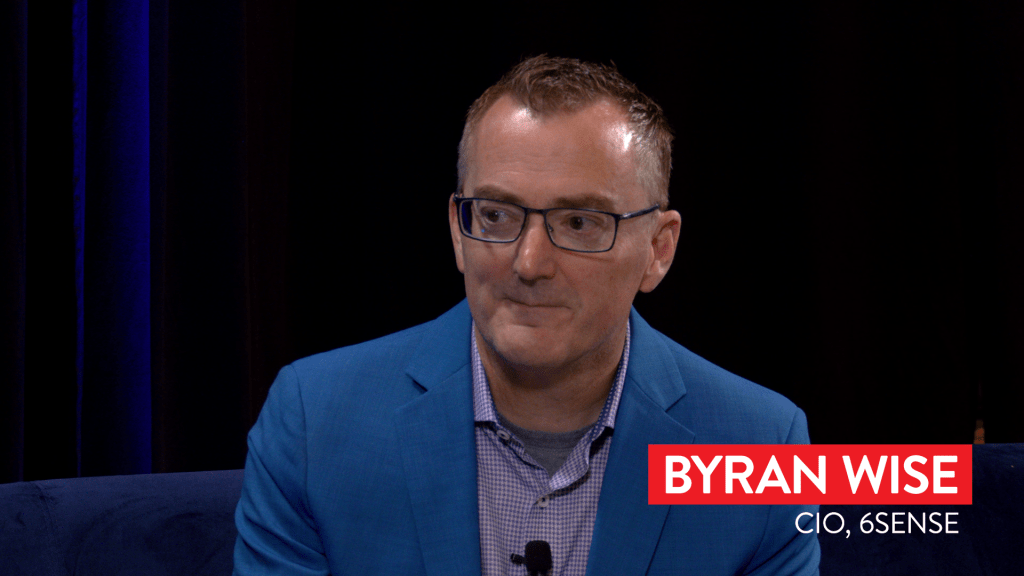
CIO Leadership Live from the CIO100 with Bryan Wise, CIO, 6Sense and Lee Rennick, Executive Director, CIO Communities, cio.com

00:00 I’m Lee Rennick, Executive Director of CIO Communities for CIO. And I’m thrilled to be here at the CIO Symposium and 100 with Bryan Wise, CIO of 6sense.00;00;20;02 – 00;00;38;51UnknownBryan, thanks so much for joining us today. And congratulations on your CIO 100 award winning project. Thank you so much for having me. Yeah, happy to be honored. Let’s see I 100. It’s a great honor. Well, it’s great to have you here today. So 6sense has put together a really great project. I read through, actually, I was one of the judges.00;00;38;51 – 00;00;59;12UnknownI happened to read through some of those applications. And it’s an award winning project called Automation Domination. So could you tell me a little bit about it? Yeah. One of the things that, I usually come in as a CIO for sometimes pre-IPO companies, okay. All the time when you come in to an environment like that. Yeah, there’s a lot of fast growth, right?00;00;59;12 – 00;01;31;22UnknownAnd there’s a lot of situations where, sort of your business processes are not really as mature as it should be. And because of speed, maybe you’re doing things that are maybe manual and in sort of nature and you got to start maturing, right. Because end to end process is to be as efficient as possible. So automation domination is a program we put in place to really change the way that the company is thinking about, you know, how efficient automation of their processes and sort of not accepting the status quo, right.00;01;31;35 – 00;01;53;49UnknownAnd so the idea behind it was, we made it a top level company objective. And the key result was to save 67,000 manual people hours. Incredible way we came up with that was we took our employee base, about 1200 toys, and we said, what if we could save one hour per week per employee for the entire year?00;01;53;50 – 00;02;19;31UnknownSo that’s the rough math of why 67,000 hours hours became the goal. Yeah. And, the real meta deliverable, though, that was the key result of track. But the real meta deliverable was to change the culture and the way people think about what they’re doing. It was also to create an environment where people also thought about what they do and how it affects other groups.00;02;19;32 – 00;02;43;13UnknownSo in turn breaks down silos. Yeah. And, really just make it so that it becomes ingrained into our environment. And then for me as a CIO, I know there’s going to be process improvement, efficiencies, ultimately speed that helps our customers in the end. So we really did focus a lot on the, on the sales and marketing as a sort of, because that’s what we do.00;02;43;16 – 00;03;06;17UnknownYeah. And, it was just a great experience and it was so successful that, we are doing it again. And so our goal, our next goal is to say 100,000 hours. I should have said we actually save over 91,000 hours. My original goal, our next goal is 100,000. And and I already told the team I think it’s sandbagged and we need to actually increase that.00;03;06;18 – 00;03;28;45UnknownSo it’s a pretty awesome, experience. And now it’s sort of changed the entire culture. And I don’t have to really cheerleader anymore. You just hear. Right. Our team members are employees talking about it all the time. Yeah, because I’m sure they’re able to report back on productivity they’ve achieved through their business through through this great opportunity of really automation, domination and all that stuff.00;03;28;45 – 00;03;52;48UnknownSo that’s really cool and that’s really important. Right. And that idea of internal productivity, which is really enhancing your customer experiences too, is great. So I want to talk to you about that a little bit. I speak to a lot of CIOs about data and cloud. And some have moved out, like during Covid a lot when a lot of people put their data in the cloud and then, you know, they were looking at costs around that of processing data.00;03;52;52 – 00;04;11;26UnknownAnd, you know, some are now saying, well, I’m now thinking of bringing it back down on Prem, because I want to keep my most important, important data, right, right on prem or maybe on the edge of the cloud. Yeah. So I’ve talked to a lot of people about this. I would love to learn more about your approach to that around data and cloud.00;04;11;31 – 00;04;35;54UnknownIt’s really interesting to to think about what is the cloud going forward. So when you think about truly like on prem physically. Yeah, yeah, those would be data centers. And the world has changed a little bit that your data center is your cloud provider going forward. Right. You can control that. So it is really interesting sort of change in landscape.00;04;35;59 – 00;05;03;52UnknownAnd then like sixth sense where digitally native computing. Right. So our company never had anything on. Right. Right. Exactly. Always been in the cloud. Yeah I do think it’s some it is makes it faster because you can deploy products much faster. You have all capital intensive infrastructure. You need to buy, but it does require, a certain mindset of like controlling costs, right.00;05;03;57 – 00;05;28;38UnknownBecause of that ease of use into that computational sort of resources, you can get carried away. It also brings up interesting questions around, well, where is my data exactly? Yes. So there’s like data sovereignty. Yes. Where is it going? And so while it is simple to go to the cloud, it adds other complexity you have to consider.00;05;28;43 – 00;05;50;06UnknownYeah. Going forward, I do think that, most of the world will now be just digitally native. We have already seen that in tech companies. There are some exceptions depending on the industry you’re in. Yeah, but then there’s going to be situations in the future where if you get large enough, you know, you will start saying, what’s the cost benefit analysis on that?00;05;50;18 –

CIO Leadership Live from the CIO100 with Bryan Wise, CIO, 6Sense and Lee Rennick, Executive Director, CIO Communities, cio.com Read More »

SquareX Discloses “Browser Syncjacking”, a New Attack Technique that Provides Full Browser and Device Control, Putting Millions at Risk

Browser extensions have been under the spotlight in enterprise security news recently due to the wave of OAuth attacks on Chrome extension developers and data exfiltration attacks. However, until now, due to the limitations browser vendors place on the extension subsystem and extensions, it was thought to be impossible for extensions to gain full control of the browser, much less the device. SquareX researchers Dakshitaa Babu, Arpit Gupta, Sunkugari Tejeswara Reddy and Pankaj Sharma debunked this belief by demonstrating how attackers can use malicious extensions to escalate privileges to conduct a full browser and device takeover, all with minimal user interaction. Critically, the malicious extension only requires read/write capabilities present in the majority of browser extensions on the Chrome Store, including common productivity tools like Grammarly, Calendly and Loom, desensitizing users from granting these permissions. This revelation suggests that virtually any browser extension could potentially serve as an attack vector if created or taken over by an attacker. To the best of our understanding, extensions submitted to the Chrome Store requesting these capabilities are not put through additional security scrutiny at the time of this writing. The browser syncjacking attack can be broken up into three parts: how the extension silently adds a profile managed by the attacker, hijacks the browser and eventually gains full control of the device. Profile Hijacking The attack begins with an employee installing any browser extension – this could involve publishing one that masquerades as an AI tool or taking over existing popular extensions that may have up to millions of installations in aggregate. The extension then “silently” authenticates the victim into a Chrome profile managed by the attacker’s Google Workspace. This is all done in an automated manner in a background window, making the whole process almost imperceptible to the victim. Once this authentication occurs, the attacker has full control over the newly managed profile in the victim’s browser, allowing them to push automated policies such as disabling safe browsing and other security features. Using a very clever social engineering attack that exploits trusted domains, the adversary can then further escalate the profile hijacking attack to steal passwords from the victim’s browser. For example, the malicious extension can open and modify Google’s official support page on how to sync user accounts to prompt the victim to perform the sync with just a few clicks. Once the profile is synced, attackers have full access to all credentials and browsing history stored locally. As this attack only leverages legitimate sites and has no visible sign that it has been modified by the extension, it will not trigger any alarm bells in any security solutions monitoring the network traffic. Browser Takeover To achieve a full browser takeover, the attacker essentially needs to convert the victim’s Chrome browser into a managed browser. The same extension monitors and intercepts a legitimate download, such as a Zoom update, and replaces it with the attacker’s executable, which contains an enrollment token and registry entry to turn the victim’s Chrome browser into a managed browser. Thinking that they downloaded a Zoom updater, the victim executes the file, which ends up installing a registry entry that instructs the browser to become managed by the attacker’s Google Workspace. This allows the attacker to gain full control over the victim’s browser to disable security features, install additional malicious extensions, exfiltrate data and even silently redirect users to phishing sites. This attack is extremely potent as there is no visual difference between a managed and unmanaged browser. For a regular user, there is no telltale sign that a privilege escalation has occurred unless the victim is highly security aware and goes out of their way to regularly inspect their browser settings and look for associations with an unfamiliar Google Workspace account. Device Hijacking With the same downloaded file above, the attacker can additionally insert registry entries required for the malicious extension to message native apps. This allows the extension to directly interact with local apps without further authentication. Once the connection is established, attackers can use the extension in conjunction with the local shell and other available native applications to secretly turn on the device camera, capture audio, record screens and install malicious software – essentially providing full access to all applications and confidential data on the device. The browser syncjacking attack exposes a fundamental flaw in the way remote-managed profiles and browsers are managed. Today, anyone can create a managed workspace account tied to a new domain and a browser extension without any form of identity verification, making it impossible to attribute these attacks. Unfortunately, most enterprises currently have zero visibility into the browser – most do not have managed browsers or profiles, nor any visibility to the extensions employees are installing often based on trending tools and social media recommendations. What makes this attack particularly dangerous is that it operates with minimal permissions and nearly no user interaction, requiring only a subtle social engineering step using trusted websites – making it almost impossible for employees to detect. While recent incidents like the Cyberhaven breach have already compromised hundreds, if not thousands of organizations, those attacks required relatively complex social engineering to operate. The devastatingly subtle nature of this attack – with an extremely low threshold of user interaction – not only makes this attack extremely potent, but also sheds light on the terrifying possibility that adversaries are already using this technique to compromise enterprises today. Unless an organization chooses to completely block browser extensions via managed browsers, the browser syncjacking attack will completely bypass existing blacklists and permissions-based policies. SquareX’s founder Vivek Ramachandran says “This research exposes a critical blind spot in enterprise security. Traditional security tools simply can’t see or stop these sophisticated browser-based attacks. What makes this discovery particularly alarming is how it weaponizes seemingly innocent browser extensions into complete device takeover tools, all while flying under the radar of conventional security measures like EDRs and SASE/SSE Secure Web Gateways. A Browser Detection-Response solution isn’t just an option anymore – it’s

SquareX Discloses “Browser Syncjacking”, a New Attack Technique that Provides Full Browser and Device Control, Putting Millions at Risk Read More »