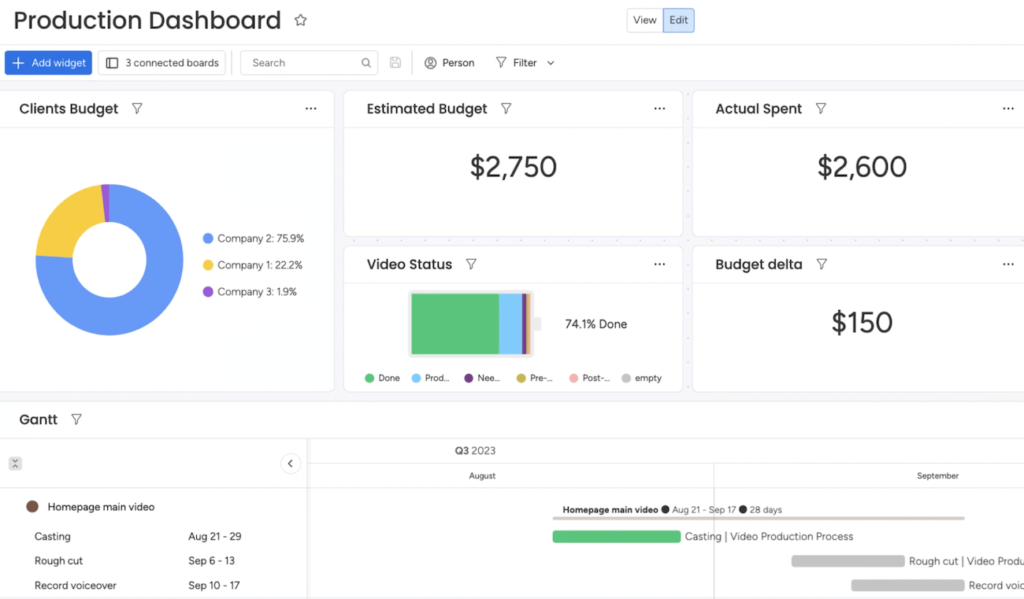
ClickUp fast facts Overall score: 5/5 Starting price: $7 per user per month Key features: Agile project management Variety of project views No-code customization Generative AI with ClickUp Brain Real-time reporting ClickUp is packed with features like customized views, advanced reporting and is well-suited for agile project management, which makes it a popular option among the top project management software. In this ClickUp review, I’ll explore its core capabilities and overall ease of use to help you make the best decision for your team. 1 Quickbase Employees per Company Size Micro (0-49), Small (50-249), Medium (250-999), Large (1,000-4,999), Enterprise (5,000+) Small (50-249 Employees), Medium (250-999 Employees), Large (1,000-4,999 Employees), Enterprise (5,000+ Employees) Small, Medium, Large, Enterprise Features Agile Development, Analytics / Reports, API, and more 2 monday.com Employees per Company Size Micro (0-49), Small (50-249), Medium (250-999), Large (1,000-4,999), Enterprise (5,000+) Any Company Size Any Company Size Features Agile Development, Analytics / Reports, API, and more 3 Wrike Employees per Company Size Micro (0-49), Small (50-249), Medium (250-999), Large (1,000-4,999), Enterprise (5,000+) Medium (250-999 Employees), Large (1,000-4,999 Employees), Enterprise (5,000+ Employees) Medium, Large, Enterprise Features Agile Development, Analytics / Reports, API, and more What is ClickUp? Image: ClickUp ClickUp is project management software with advanced features that make it unique among its competitors. Its cost-effectiveness, impressive free plan, flexibility of its premium plans and high customizability make it a popular business solution. SEE: Learn how ClickUp compares to our list of the best developer project management tools. ClickUp review summary My first impressions from exploring the software prove that while it is modern, fast, and intuitive, it will take time to navigate the user interface (UI) and learn each function. The UI is customizable with options to change your theme in settings, use dark mode, and access multiple work visualizations. Criteria Score Features 5/5 Pricing 5/5 Ease of use 5/5 Service and support 5/5 ClickUp pricing Score: 5/5 Pricing plan Cost per user, per month(billed annually) Cost per user, per month(billed monthly) Free Forever – – Unlimited $7 $10 Business $12 $19 Enterprise Pricing is available upon request Pricing is available upon request ClickUp AI Add to any paid plan for $7 per user per month Add to any paid plan for $7 per user per month ClickUp delivers one of the most impressive free plans for project management software, as well as three premium plans: Unlimited, Business, and Enterprise. Free Forever The Free Forever plan has a variety of features that may satisfy the project management needs of individual users or small teams. Unlike many of its alternatives, ClickUp does not provide a user limit. However, the Free Forever plan is limited in terms of storage, workflows, organization, and integrations. Unlimited The Unlimited plan costs $7 per user per month when billed annually or $10 per user when billed monthly. It features guest permissions, unlimited storage, more integrations, and access to all work views like Gantt, teams, and map (with some limits on the number of unique views you can create). Interestingly, ClickUp offers a unique opportunity for prospective users to “make a deal,” inviting them to suggest how much they are willing to pay per user per month. This opportunity is available only on the Unlimited plan. Business The Business plan costs $12 per user per month when billed annually or $19 per user when billed monthly. In this tier, teams can use the majority of capabilities ClickUp offers from reporting to integrations, with some exceptions. It does not have much for security or support outside of SSO and live chat. Enterprise ClickUp’s Enterprise plan targets large teams, departments, and companies. To obtain pricing information, you have to reach out to the sales team. The Enterprise plan gives users access to advanced security and support offerings like HIPAA compliance and custom role permissions. ClickUp feature highlight Score: 5/5 When it comes to feature-packed software like ClickUp there is a lot to explore for new users—and that creates a learning curve. The bright side is the main features are intuitive and designed with productivity in mind so you can get started quickly and work your way up to more advanced functions. Agile project management ClickUp’s agile project and product management features set it apart from competitors as these features enable teams to collaborate on sprints, roadmaps, backlogs, and more. Users can automate their sprint workflows and streamline bug and issue tracking. ClickUp delivers customizable dashboards and sprint widgets to track progress. Views, including Board (kanban), Gantt, and Box, are easily adaptable to agile use cases. ClickUp also offers an agile project management template to sidestep the learning curve that beginners to this method often encounter. ClickUp agile project management template. Image: ClickUp Multiple views ClickUp delivers more than 15 views for users to organize work from different perspectives. These views include the List, Board, Box, Calendar, Gantt, Embed, Chat, Activity, Mind Maps, Timeline, Workload, Table, Map, and Whiteboard views. Board view. Image: ClickUp No-code customization The customization features of ClickUp require no coding knowledge or costly add-ons, making their implementation intuitive for a variety of users. The tool offers pre-built automation templates that users can either use directly or customize for specific use cases. ClickUp also offers hundreds of additional templates for users to customize and integrate with over 1,000 other tools. ClickUp automation personalization page. Image: ClickUp Collaboration Through a variety of collaboration features, such as chat, ClickUp makes it simple for teams to communicate on any kind of project. Its whiteboards provide a real-time visual canvas for collaboration on workflows and ideas and convert them into trackable tasks. Additionally, teams can send and respond to comments on any task within ClickUp, as well as proof and annotate all of their designs. Users can also communicate in real time using chat or send and receive emails directly within ClickUp. Sample chat in ClickUp. Image: ClickUp Real-time reporting With ClickUp’s real-time reporting features, you can set goals, keep track of progress, and increase the effectiveness of your resource