Tech Republic

ANZ CIO Challenges: AI, Cybersecurity & Data Analytics for 2025

CIOs across Australia and New Zealand’s public sector face a “hard 12 months” managing their technology estates amid cost constraints, according to a leading regional Gartner analyst. However, there is optimism that investments in AI will deliver the productivity gains many anticipate. Gartner recently released the public sector findings from its CIO Technology Executive Survey. The firm found that 94% of ANZ government CIOs named data analytics as their top technology investment for 2025, followed by investments in cyber security (91%) and application modernisation (85%). Dean Lacheca, a Gartner VP analyst, told TechRepublic that an austerity mindset was in play across government agencies. “Frustrated” CIOs were facing another year of relatively flat budgets when accounting for inflation, with little appetite for undertaking large ICT projects. “Right now, we’re probably in one of the leanest periods with austerity,” he said. “There is a realisation that this isn’t going to be a period of massive, accelerated adoption of technology.” Productivity rises to become a key outcome for government CIOs Lacheca said that the prioritisation of data analytics and cybersecurity investment has remained consistent in recent years. However, this reflects slow progress, with investments in these areas facing challenges, such as keeping up with the changing threat vectors plaguing cybersecurity professionals. “There’s been some great work done by the Australian federal government with their cybersecurity efforts,” Lacheca noted. “But if you look at the Essential Eight, and the movement towards the Essential Eight, it’s still … relatively slow going in that particular space.” SEE: Private sector tech investment to be led by cybersecurity in Australia in 2025 The steady focus on data analytics and cybersecurity is now being joined by a growing desire for “human capital effectiveness,” as 94% of CIOs surveyed by Gartner prioritise productivity-driven outcomes, up significantly from last year. The productivity push comes as IT and the rest of the government are driven to increase efficiency. “We see a real contrast,” Lacheca added. “We see some of the high profile government projects and efforts and modernisation continue to be funded; but if you look at overarching IT investment across governments, they [CIOs] have been really hard pressed in the last few years.” More Australia coverage Government CIOs name AI among their top three technologies According to the Gartner report, the top three technologies ANZ government CIOs said they have deployed or plan to deploy in the next 12 months are: Industry cloud platforms (59%). Generative AI (56%). Low-code/no-code platforms (53%). Industry cloud platforms Lacheca said the prominence of industry cloud platforms reflects a shift towards adopting more common platforms across the public sector. Although there isn’t significantly differentiated technology, such as more advanced industry clouds for financial services, this shift promotes greater standardisation across agencies. SEE: How a sovereign cloud boom is happening In APAC AI and generative AI Lacheca said the “surprisingly high levels of interest in AI” seen in government are primarily driven by the hope that it can help with agencies’ productivity demands. However, after a period of hype around generative AI, CIOs have become more realistic about the implementation challenges. Although CIOs want AI to deliver more productivity, Lacheca said their current role is often one of a “risk mitigator” in that space. “They have to be the ones that are slowing that process down, because they are trying to make sure we are approaching this with a balanced risk perspective,” he said. SEE: Generative AI could be source of costly mistakes for tech buyers Low code and no code According to Lacheca, low code has been a big growth area in recent years. He said the main reason for this is that government CIOs were trying to “head off the mistakes of the past,” which created a “whole heap of bespoke legacy technology,” causing a problem they have to deal with now. Low-code platforms can also assist IT teams in bridging talent gaps, he said: “It’s very hard to find IT professionals in specific technologies. So they look at low code as an opportunity for them to maybe bridge some gaps in terms of talent, where they can leverage their own internal skills.” CIOs to continue to champion the value of IT Aside from managing technology risk (82%), CIOs’ biggest priority is demonstrating IT’s business value in government (68%). Lacheca said ANZ government CIOs were still trying to change the “corporate services-type mindset” that comes from IT’s past. “They’re still really trying to educate or communicate the value that they contribute to the organisation itself,” he said. Looking ahead to 2025, Lacheca said he hopes there will be a continued shift in government mindset around what legacy technology is really costing. He said there is much fear around undertaking large IT investments and projects, which can lead to governments “kicking the can down the road.” “I think there’s going to have to be a level of ownership around how we start to mitigate that risk, and how do we do that in a way that we actually create some of this productivity gain,” Lacheca explained. “There’s a real business case for the gains we will get if we start to relieve some of the the legacy [technology] that we have.” source

ANZ CIO Challenges: AI, Cybersecurity & Data Analytics for 2025 Read More »
TunnelBear VPN Review 2024: Pricing, Ease of Use & Security

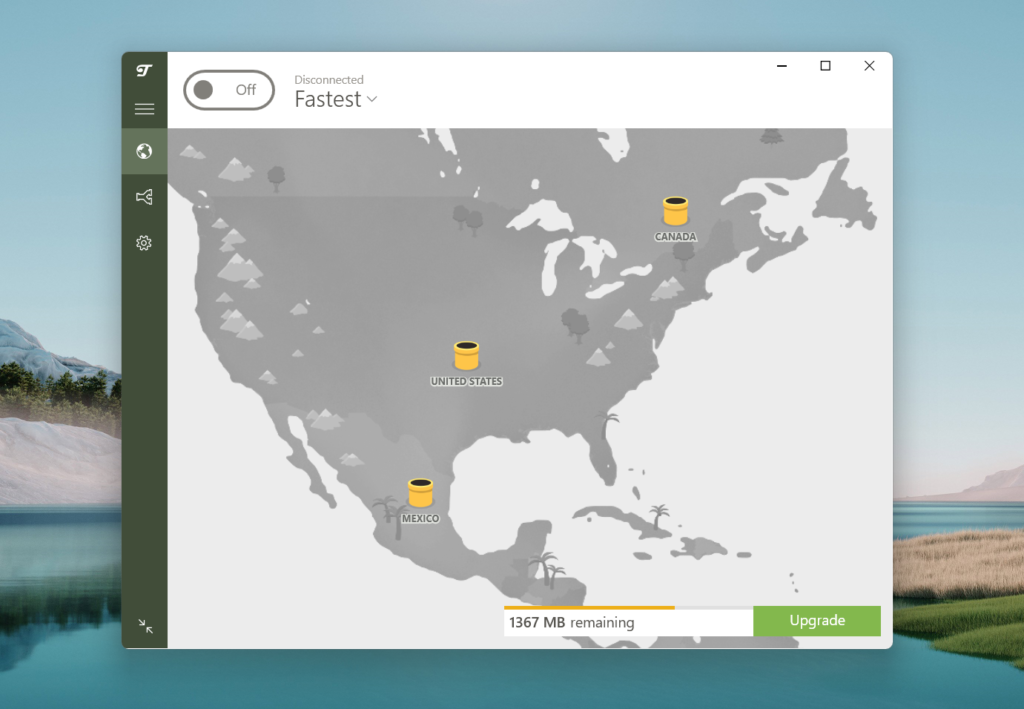
TunnelBear VPN fast facts Our rating: 3.1 stars out of 5Pricing: Starts at $3.33/mo (annual)Key features: Fun, beginner-friendly interface. Annual independent security audits. Unlimited device connections. TunnelBear’s unique, bear-themed approach to its VPN service sets it apart from the more technical and standardized implementations of other VPNs. TunnelBear is available on Windows, Mac, iOS, Android, Chrome, Firefox, and Edge. It offers 5,000+ servers, unlimited device connections, and a subscription option for teams and organizations. Despite its fun design and accessibility, TunnelBear’s slower speeds and buggy app are causes for concern. In addition, its server fleet only spans 47 countries. Semperis Employees per Company Size Micro (0-49), Small (50-249), Medium (250-999), Large (1,000-4,999), Enterprise (5,000+) Enterprise (5,000+ Employees), Large (1,000-4,999 Employees) Enterprise, Large Features Advanced Attacks Detection, Advanced Automation, Anywhere Recovery, and more ESET PROTECT Advanced Employees per Company Size Micro (0-49), Small (50-249), Medium (250-999), Large (1,000-4,999), Enterprise (5,000+) Any Company Size Any Company Size Features Advanced Threat Defense, Full Disk Encryption , Modern Endpoint Protection, and more ManageEngine Log360 Employees per Company Size Micro (0-49), Small (50-249), Medium (250-999), Large (1,000-4,999), Enterprise (5,000+) Micro (0-49 Employees), Medium (250-999 Employees), Enterprise (5,000+ Employees), Large (1,000-4,999 Employees), Small (50-249 Employees) Micro, Medium, Enterprise, Large, Small Features Activity Monitoring, Blacklisting, Dashboard, and more How much does TunnelBear VPN cost? TunnelBear’s starting paid plan costs $3.33 per month via its TunnelBear Unlimited. It has three subscription tiers: Free, Unlimited, and Teams. Only TunnelBear Unlimited has the option to choose between a monthly, one-year, and three-year subscription. Plan TunnelBear Free TunnelBear Unlimited TunnelBear Teams 1 year Free $3.33 per month (billed $39.99 for the first year) $5.75 per user, per month 3 years Free $3.33 ($120 billed once) N/A Monthly Free $9.99 per month N/A Feature differences Unlimited data Unlimited device connections City-level server selection Priority customer support Centralized team billing Admin and account manager tools Unlimited data Unlimited device connections City-level server selection Priority customer support 7-day free trial Interestingly, the monthly and three-year plans are only available to view after you click the “Get started” button for TunnelBear Unlimited subscription option priced at $3.33. Personally, I hope TunnelBear makes their additional contract options more accessible to view or at least have it at the top of its pricing page. In terms of individual pricing, TunnelBear’s Unlimited subscription is at a discounted rate of $3.33 per month for the one-year plan. If you opt for the TunnelBear Unlimited paid plan, this discounted annual rate is a steal. However, because this is a sale offer, prices may vary in the future. I would suggest trying TunnelBear’s free version before purchasing a subscription. While data is capped at 2GB and some features are omitted, the free version allows you to get a feel for TunnelBear’s desktop VPN implementation. For business owners, TunnelBear Teams is a practical option. You get all of TunnelBear’s paid features in addition to more team-based add-ons, such as centralized billing and account manager tools. Does TunnelBear VPN have a free version? Yes, TunnelBear has a dedicated free version of its VPN. Those interested in trying the service don’t have to worry about providing payment information, as you can easily download it with no strings attached. However, there are notable limitations with TunnelBear VPN’s free version compared to its paid plan. The free version has a 2GB data cap that resets every month. So, realistically speaking, free users will only be able to try out the VPN for around a day or two before data runs out. In addition, only paid users will be able to select city-designated servers on TunnelBear’s network. Free users are only able to choose from available countries (Figure A). Figure A TunnelBear VPN Free. Image: TunnelBear Despite this, TunnelBear states that their free and paid versions don’t have any difference performance-wise, making the free version a viable way to test if the VPN is right for you. SEE: TunnelBear VPN Free vs Paid: Which Plan Is Right for You? (TechRepublic) Security and privacy: Is TunnelBear VPN secure? Specs-wise, TunnelBear has all the requisites needed for a modern VPN to be considered secure. It has OpenVPN, WireGuard, and IKEv2 — the three industry-standard security protocols we want in a VPN. It also utilizes AES 256 encryption, includes a kill switch (VigilantBear), and split tunneling (SplitBear). TunnelBear has a no-logs policy, which states that it doesn’t collect any user’s browsing information, IP addresses, DNS queries, and applications used while connected to the VPN. More about Cloud Security TunnelBear also has an impressive track record of undergoing annual independent testing. Since 2016, TunnelBear has completed seven annual independent security audits. The most recent third-party audit was done in October 2023 by Cure53. In that 2023 audit, Cure53 found a total of “13 issues this year, with only 7 considered to be of medium risk or higher.” Fortunately, TunnelBear has said that “12 out of the 13 identified issues have been fixed or mitigated.” Personally, I give major props to the TunnelBear team for continuing to have its VPN tested via third-party audits. This shows a strong commitment to transparency and is a great way to build trust among its users. On the flip side, some people may be wary of TunnelBear being based in Canada, one of the members of the Five Eyes intelligence alliance, along with Australia, New Zealand, the U.K., and the U.S. If government intervention is something you’re trying to avoid, TunnelBear may not be for you. Overall, TunnelBear’s security features, transparency, and annual independent testing make it a secure and trustworthy VPN in 2024. Key features of TunnelBear VPN TunnelBear has a few key features that set it apart from other VPNs. Let’s check out four in particular that you should know about. Beginner-friendly interface Compared to other VPNs, TunnelBear has a very user-friendly, bear-themed interface. Servers are represented by tunnels, and when you connect or switch to a new tunnel, a bear will pop up (Figure B) from inside the tunnel — hence the name,

TunnelBear VPN Review 2024: Pricing, Ease of Use & Security Read More »

What is Sales Automation? Tips and Examples

Sales automation is a popular functionality offered by the top CRM software. It can be found throughout the average sales process, from lead generating and scoring to meeting scheduling and forecasting. Automating any and all of these workflows frees up time for sales reps so they can spend more of it actually engaging with customers and closing deals. Below, I explain sales automation, its business benefits, how to start implementing it, and examples of successful automation in sales. 1 Pipedrive CRM Employees per Company Size Micro (0-49), Small (50-249), Medium (250-999), Large (1,000-4,999), Enterprise (5,000+) Any Company Size Any Company Size Features 24/7 Customer Support, Analytics / Reports, API, and more 2 CrankWheel Employees per Company Size Micro (0-49), Small (50-249), Medium (250-999), Large (1,000-4,999), Enterprise (5,000+) Any Company Size Any Company Size Features Analytics / Reports, API, Dashboard, and more What is sales automation? Sales automation is programmed technology that automates manual tasks in any sales process. This feature can directly impact deal-closing rates and customer experiences by freeing up sales reps’ time to focus on lead nurturing and immediate problem-solving. Sales automation can be applied to the lead generation process, the nurturing stage, and the post-sales stage. Because of this, CRM tools with advanced automation functionality are understandably sought after for how efficiently they can streamline workflows that previously took longer to complete. Sales automation can work within a CRM, from data capturing to email drip campaigns, lead scoring, and even forecasting. Some notable benefits include increased visibility, reduced manual task workloads, more personalized customer service, and more. What are the benefits of sales automation? The main goal of sales automation is to improve efficiency. When the software is doing the heavy lifting of completing automation tasks and triggers, the business benefits—making choosing a CRM a favorable option. Here are five immediate benefits of sales automation: Streamline data collection and segmentation within a CRM. Increase visibility for reps, managers, owners, and admins. Minimize manual task workloads for users. More personalized customer experience. Reduce human error. Ultimately, all of these benefits improve the customer experience with your business and increase the morale of sales reps and admins who can trust the software to accomplish these mundane tasks. Time is money in sales, and automation helps free up valuable time for more pressing tasks. How to automate sales The exact steps to automate your sales process within a CRM tool depend on the tool itself. However, there are still actionable steps that will get you closer to having a fully automated sales process. Before implementing any tool, it’s important to have a defined sales process that you can build into your CRM with stages, pipelines, and dashboard. You should also consider which other tools in your tech stack might need to be synced for automation workflows, such as email or web forms. The next steps depend on which processes you’re automating, so you should take advantage of features like templates to customize the automation flows. Most importantly, continue testing and gathering feedback throughout implementation, so that you know the automations are benefitting your business. Here’s a snapshot of 5 steps to automate sales: Start with a CRM and a defined sales process. Integrate other software and tools. Customize your automation flows. Combine manual and automated processes. A/B test campaigns. SEE: Head over to our guide on how to use a CRM for step-by-step instructions. More about CRM Sales automation examples Data capturing Automating lead and data capturing can step up a business’s selling strategy. These sales automation tools will collect and store customer information such as contact information, history with your brand, and firmographics. This information will then be accessible through the CRM. This automation helps provide valuable insights into the lead and their qualification as a potential customer without any manual data entry. Email drip campaign automation Automated, personalized, and engagement emails can help sales reps nurture leads with little effort. These emails can be individual or part of a bigger drip campaign. These automated emails can be triggered if they interact a certain way on your website, sign up for a demo, webinar, or any past behavior or purchase history with your business. These emails make the customer more aware of your product or service and at a cadence that feels natural. Lead scoring and segmenting automation Receive leads that have already been scored against custom criteria you set for your ideal customer profile. These can include demographics, contact details, and behavioral data of the lead. A lead that is considered a high-quality lead means there is a high likelihood of converting them into a customer. Once leads are scored, they can be automatically segmented and assigned to the sales team or specific rep to begin nurturing strategies immediately. Sales task automation Sales task automation includes all miscellaneous tasks that can be managed and performed by CRM users. Tasks can be automatically created, assigned, and prioritized for reps to accomplish daily, monthly, or quarterly. Reps can be notified when a new task is assigned to them and then reminded when deadlines are approaching. This way, responsibilities can be distributed and managed with little oversight. Scheduling automation With the help of an online and automated scheduling system, leads or customers can schedule meetings with your reps quickly through your website. The branded form will show all available time slots, which are controlled by the reps who will join the meeting. Once the customer clicks to schedule an appointment, they can receive an automated email that confirms the details. And then right before the meeting, there can be a reminder email sent. All of this can be done in the back end of the CRM tool, so the rep can focus on actually prepping for the appointment. Tips for sales automation Most CRM providers don’t require technical knowledge to build automation workflows and formulas. Even though the implementation process to deploy automations is often quite intuitive, I recommend keeping it simple to start and monitor campaigns for tangible results.

What is Sales Automation? Tips and Examples Read More »

Apple’s Geo-Blocking Practices Could Violate EU Rules

The European Commission has informed Apple that its geo-blocking practices, where services are limited or blocked in certain geographical locations, are potentially breaking the law. These practices have been identified on the App Store, Apple Arcade, Music, iTunes Store, Books, and Podcasts. The Commission, along with the Consumer Protection Cooperation Network, has three main issues relating to Apple’s geo-blocking, which it claims “unlawfully discriminates European consumers based on their place of residence.” Firstly, the company reportedly offers different interfaces for its services depending on the registered country of the Apple ID used, but it has made switching to that country difficult. The second is that consumers can only use payment methods, such as credit and debit cards, issued in their Apple ID’s registered country, creating challenges for those who relocate or travel within the bloc. Thirdly, European users cannot download apps hosted on App Stores in other E.U. countries, which limits their access to region-specific content. This is also important when travelling. An investigation by the Commission and CPC Network found that these geo-blocking practices might infringe the E.U.’s Geo-blocking Regulation and Services Directive, both of which prevent unnecessary discrimination against those who want to access digital services across borders. Apple now has a month to respond to these concerns and propose corrective measures, such as removing its geo-blocks. If its response is deemed unsatisfactory, the CPC Network, led by authorities in Belgium, Germany, and Ireland, might take enforcement action. The E.U. could even fine the company up to 4% of their global annual turnover. In 2023, Google made changes to the geo-blocking of its Play services in response to similar action from the authorities. Margrethe Vestager, executive vice-president for a Europe Fit for the Digital Age, said in a press release: “We are stepping up the fight against geo-blocking. No company, big or small, should unjustly discriminate customers based on their nationality, place of residence or place of establishment. SEE: EU Antitrust Leader Margrethe Vestager to Step Down After Losing Support “Preventing geo-blocking helps consumers access the goods and services they want across Europe and strengthens the functioning and integrity of our Single Market.” TechRepublic has reached out to Apple for comment. Must-read Apple coverage Apple’s back-and-forth with the EU The geo-blocking debacle is the latest in a string of regulatory tussles between Apple and the E.U., as the latter works to ensure fair competition and accessibility within digital markets. Just last week, the Commission announced its investigation into whether Apple’s iPadOS operating system complies with the Digital Markets Act. iPadOS, along with the App Store, Safari, and iOS, is on the list of core platform services that must comply with the DMA’s requirements as it provides “an important gateway for business users to reach end users,” As such, iPadOS users should be able to choose their default web browser, use third-party app stores, explore features with non-Apple accessories such as headphones and smartpens, among other conditions. Interestingly, macOS is not deemed a core platform service, meaning European Mac owners may be able to access Apple Intelligence when it’s released. Apple has asserted that it will not roll out its AI offering in the E.U. due to “regulatory uncertainties” brought about by the DMA. However, an exception could be made because macOS does not have to comply. SEE: Apple Must Pay Back €13 Billion in Unpaid Taxes to Ireland, E.U. Court Rules So far, the Cupertino giant has not quietly relented to the legislation. In January, it said that accessing third-party apps on Apple devices presents security risks, including “malware, fraud and scams, illicit and harmful content.” But the European Commission has been persistent in its efforts to hold Apple accountable, launching three investigations into DMA compliance in the past year. In June, the company was charged with violating the DMA for several reasons, including not making it easy enough for developers to steer their customers to purchase options outside the app, which do not financially benefit Apple. It also launched a non-compliance investigation into whether Apple discourages developers from hosting their iOS apps on third-party platforms. In August, Apple announced it would allow E.U. users to delete pre-installed apps on iOS 18 to comply with the DMA. It also made the “browser choice screen” clearer and expanded several default apps that can be replaced by third-party versions. Apple must also comply with the Digital Services Act, a set of rules designed to regulate how designated “Very Large Online Platforms” handle privacy, protect their users, and operate transparently. source

Apple’s Geo-Blocking Practices Could Violate EU Rules Read More »

Ubuntu Server Cheat Sheet

Ubuntu Server is a free, open-source platform that does more than you might think. With its ability to serve as an internal company server or to scale all the way up and out to meet enterprise-level needs, this operating system can do it all. This cheat sheet is an easy way to get up to speed on Ubuntu Server. We’ll update this guide periodically when news and updates about Ubuntu Server are released. SEE: Tools and Tips for Creating Data Backups on Linux Servers (TechRepublic Premium) Executive summary What is Ubuntu Server? Ubuntu Server is a server operating system, developed by Canonical and open-source programmers worldwide, that works with nearly any hardware or virtualization platform. It can serve up websites, file shares, and containers and expand your company offerings with an incredible cloud presence. Why does Ubuntu Server matter? Ubuntu Server works well in the cloud. For small- to mid-size businesses looking for a cost-effective server solution, I reckon Ubuntu should be your first stop. The precise number of users running Ubuntu on the cloud is difficult to ascertain because major cloud providers don’t always share detailed OS usage statistics. However, Canonical says Ubuntu is estimated to power over 40% of all Linux workloads on major public clouds, such as AWS, Azure, and Google Cloud Platform. Who does Ubuntu Server affect? According to W3Techs, as of November 2024, Linux is used by 53.6% of “all the websites whose operating system we know.” If we break that percentage down, then when it comes to websites using the various subcategories of Linux, Ubuntu is sitting comfortably at the top as it’s used by 16.4%. Debian is doing quite well in second place at 8.9%. When was Ubuntu Server released? Ubuntu Server was first released on October 20, 2004, and I believe it has been steadily improving and spreading its reach ever since. How do I start using Ubuntu Server? Download a copy of the latest release, burn it onto a disk or create a bootable USB drive, insert the bootable media into your server, and install it. You can also check out TechRepublic Premium’s Ubuntu Server Installation Checklist if your business can afford $9 for a single download. SEE: All of TechRepublic’s Cheat Sheets What is Ubuntu Server? Ubuntu explains that it is currently officially compatible with five processor architectures: x86_64 (aka AMD64), ARM64 (aka AArch64), PowerPC64 (aka POWER), System z (aka S390X), and RISC-V. Previously supported architectures include x86, PowerPC, and SPARC64. Ubuntu is a server platform that anyone can use for the following. Some examples include: Websites. FTP. Email server. File and print server. Development platform. Container deployment. Cloud services. Database server. Ubuntu Server has these minimum requirements: RAM: 1024 MB. Suggested minimum RAM: 3 GB or more. Minimum storage: 5 GB (ISO installs). Minimum storage: 4 GB (cloud images). Suggested minimum storage: 25 GB or more. One benefit that makes Ubuntu Server so appealing is its cost-effectiveness. Anyone can download a copy of the latest version of Ubuntu Server and deploy it on as many machines as necessary—at zero cost (minus hardware and time). SEE: Windows, Linux, and Mac Commands Everyone Needs to Know (Free PDF) If you run a small company and you’re looking for an easy-to-deploy file server or web server, I believe Ubuntu Server could handle that and so much more. If you’re an enterprise-level company looking to scale out an OpenStack Cloud, a massive render farm, or a Hadoop cluster, Ubuntu has you covered. For those who are looking to work with Ubuntu as a guest in a virtual environment, Ubuntu Server has been certified for AWS, Microsoft Azure, IBM, and HPE Cloud. Just because Ubuntu Server is open source (and free to download), businesses need not worry about a lack of support. You can purchase enterprise-grade support for the platform. Ubuntu Pro (formerly known as Ubuntu Advantage) does have a 30-day trial for enterprises. Ubuntu Pro pricing is as follows: Self-support(software only) With Infra support(24/7) With full support(24/7) Desktop or WSL(workstation/year) $25 n/a $300 Server with unlimited VMs (machine/year) $500 $1,775 $3,400 More about Open source Why does Ubuntu Server matter? Over the last few years, the cloud has become a central point of focus for IT and users, and that shift has been a major boon to Canonical and Ubuntu. Ever since Infrastructure as a Service has taken off, Ubuntu has become one of the biggest players in running these services from the cloud. In my opinion, Ubuntu is popular with administrators and DevOps engineers looking to deploy OpenStack. Then, there’s Docker, which I classify as one of the market’s most popular container deployment platforms. I reckon Ubuntu Server makes setting up Docker incredibly easy — so much so that nearly any level of IT pro can make deploying containers a reality. Containers can go a long way to helping you expand your company offerings to staff, clients, and customers. SEE: How-to Guide for Linux Administrators (Free PDF) I think another advantage that Ubuntu Server has over many other platforms in its class is the snap package feature. Snap packages are universal packages that contain all necessary dependencies and can be installed with a simple command (such as sudo snap install nextcloud). Snaps can also be easily updated with a single command (sudo snap refresh), so there are fewer administrative tasks. If the Ubuntu Server features aren’t enough to sell you, then think about the stats. According to Statista, as of July 2024, Ubuntu is the third most popular distribution of operating systems among developers worldwide. In an unusual case of symmetry, 27.7% of developers use it for professional use, while 27.7% use it for personal use. Unsurprisingly, Windows was the most popular, followed by MacOS. Who does Ubuntu Server affect? Ubuntu Server affects everyone from IT pros, developers, CFOs, and end users. Let’s consider one element of Ubuntu Server: the cloud. According to a May 2024 report, Gartner predicted worldwide end-user spending on public cloud services would grow 20.4% to a

Ubuntu Server Cheat Sheet Read More »

Don’t Want To Overpay for Microsoft Office? This Dupe Is $20

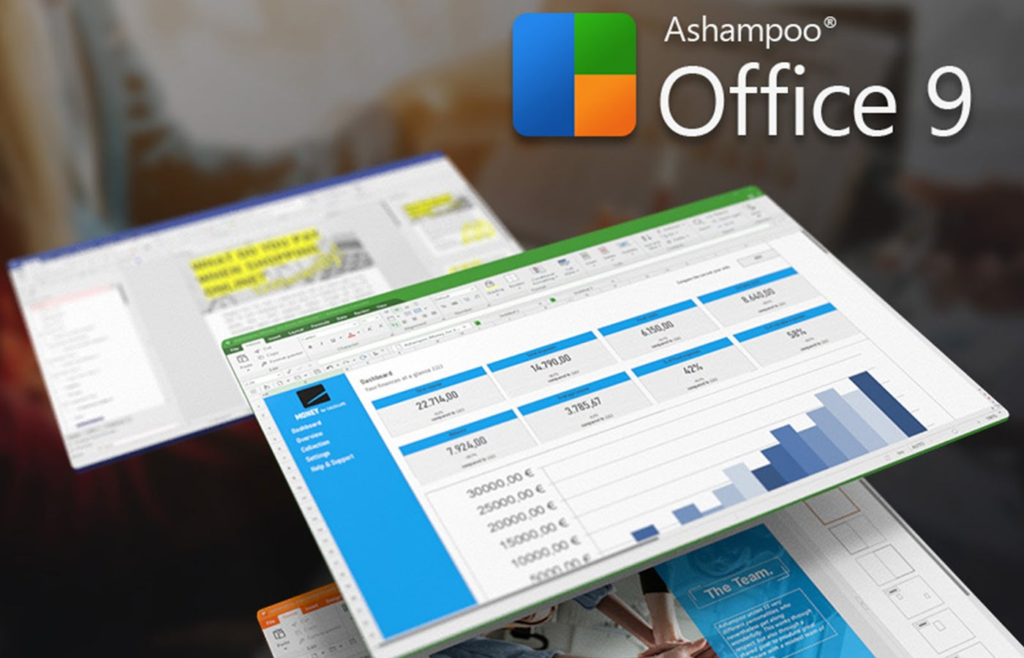
TL;DR: Ashampoo Office 9 gives you similar productivity tools to Word, Excel, and PowerPoint for $19.99 (reg. 99), When you think of productivity suites, you might immediately think of Microsoft Office. All the largest companies and over one billion people use Word, Excel, and PowerPoint, but are those really the best options? While we’re unsure if Microsoft offers the absolute best apps, we know one thing: they’re not very affordable. Office 365 can cost upwards of $69.99 per year (or $6.99 monthly) for just one device. You shouldn’t be paying that much just to type up documents or create presentations. Try Ashampoo Office 9 instead — this Microsoft Office alternative is now available for only $19.99 (reg. $99) for five Windows devices. The More Affordable Versions of Your Productivity Apps Ashampoo Office 9 isn’t an exact dupe for Microsoft Office, but it’s pretty close. You might even think you opened the wrong download since its interface has the same classic ribbon interface Microsoft is known for. While you won’t get dupes for all of Microsoft’s apps, you’ll get tools for word processing, spreadsheets, and slides, all of which are compatible with Office files and Windows 11. Use Ashampoo’s word processor when you need to type contracts for a client or sales reports for your manager. This word processor may be more affordable than Microsoft’s, but it’s also equipped with auto-correct and spell check. If you need to reference a document you’re creating to a past one, you can view two documents side-by-side. You can even edit multiple text sections simultaneously by holding down the Ctrl key. Ashampoo also offers Calculate (think Excel) and Present (think PowerPoint). Calculate comes with the famous Formulas tab and gives Excel a run for its money since it can import and export SQLite databases within your spreadsheets. With Present, you can create slideshows with PowerPoint-compatible slide transitions, which is helpful if a client you’re presenting to uses Microsoft as their software. You don’t need to overpay for Word, Excel, and PowerPoint. For more affordable productivity apps, just get lifetime access to Ashampoo Office 9 for five of your devices, now $19.99. Prices and availability subject to change. source

Don’t Want To Overpay for Microsoft Office? This Dupe Is $20 Read More »

5 Best Salary Benchmarking Tools for Competitive Pay Analysis

As the job market continues to evolve, the cost of living, salaries, and benefits are all rising globally. This quick evolution presents a difficult challenge for hiring managers and HR reps who want to keep up with their local market and what competitors offer new employees. That’s where salary compensation benchmarking tools can help. SEE: New employee checklist and default access policy (TechRepublic Premium) By providing up-to-date data on salary averages for different industries and even specific positions, compensation benchmarking tools can help HR teams compare their salary offers to the market rate to ensure they offer competitive wages. In this guide, learn about some of the best compensation benchmarking tools available today and how they can help your recruitment and hiring efforts. Best compensation benchmarking tools: Comparison table A key part of finding the right candidate for any role is offering an attractive salary that works for both the company and the candidate. The best compensation benchmarking tools can help you and your candidates agree on salary expectations. SEE: Find high-paying cybersecurity and IT support jobs in these U.S. cities These tools provide data on salaries in your area, considering factors such as experience, cost of living, and benefits. You can then adjust the salaries you offer according to your own needs and business goals. With that knowledge in mind, here are some of the best compensation benchmarking tools: Indeed: Best for up-to-date salary insights Image: Indeed Indeed is an online job search engine that allows job seekers to search for jobs posted by employers, create résumés, and apply for jobs. It also provides employers with a platform to post job openings and manage recruitment. In addition, Indeed provides a compensation benchmarking tool that allows employers to view detailed salary insights for informed compensation decisions. With Indeed Salary, employers can compare salaries for specific job roles, locations, and company sizes to see how their compensation stacks up to the competition. The tool allows employers to see how their compensation compares to industry averages and national and local salary trends. Job seekers can use it to understand what salary they can expect in a certain market or job type. Key features Salary estimates: Indeed estimates the average salary for a job title in a given location. Salary comparison metrics: This tool allows users to compare salaries for different locations, job titles, and industries. Multi-source data: It includes salary data from multiple sources, including job postings and surveys. Advice for job seekers: Indeed offers users salary ranges and salary negotiation advice. Salary calculator: Indeed includes a salary calculator to help users estimate their market value and negotiate salary offers. Company profiles: Indeed creates company profiles with information on job openings, ratings, and reviews from current and past employees. Pros and cons Pros Cons Mobile app available for on-the-go access. No information provided on potential bonuses. Detailed salary comparisons between different roles in the same industry. Data filters can be improved. Updated regularly with new data and job market trends. Free to use. Pricing The compensation benchmarking tool is free to use and provides a detailed look at salary data for job seekers and employers. Payscale: Best for enterprise HR teams Image: Payscale Payscale is an AI-powered compensation tool that helps employers and job seekers make informed decisions about salaries. It offers access to salary data on millions of job titles across hundreds of industries, including U.S. and international markets. It also analyzes job titles, pay trends, and salary data for specific locations. With its reports, employers can compare their pay structure to industry averages and adjust as needed. Job seekers can use the data to inform their salary negotiations and compare potential salaries for different job titles. Payscale also includes salary surveys, cost-of-living calculators, job descriptions, and employer-specific salary data. Key features Salary information: Payscale provides salary information to help employees make informed decisions about their careers and compensation. This includes average wages, salary ranges, and salary trends. Job search tools: Payscale allows users to search for jobs by salary, location, and industry. Career resources: Payscale offers career resources to help users make informed decisions about their career paths. This includes resources for job seekers, career changers, and employers. Cost of living calculator: Payscale’s cost of living calculator allows users to compare the cost of living in different cities. Negotiation tips: Payscale provides negotiation tips to help employees maximize their salary. Pros and cons Pros Cons Compensation scenario builder. Steep learning curve. Custom user profiles based on current job role. Comprehensive database of reported data from over 65 million employees. Pricing Price a Job tool, salary reports, and other tools for individuals: Free Full version for employers (including PayFactors, MarketPay, and Pay Equity Solutions): Quote available on request Bureau of Labor Statistics (BLS): Best for national trends Image: Bureau of Labor Statistics (BLS) The Bureau of Labor Statistics (BLS) is a government agency within the U.S. Department of Labor. It collects, analyzes, and disseminates labor-related statistical data to the public. The BLS manages data on various topics, including employment trends, wages and benefits, inflation, productivity, and workplace safety. It produces reports on special topics such as occupational injuries, job openings and separations, and labor force participation. Key features Access to comprehensive labor market data: The BLS provides access to the latest labor market data from the U.S. Department of Labor, including employment and unemployment statistics, occupational outlook data, and labor force projections. Interactive data visualizations: The BLS provides easy-to-use visualizations, allowing users to explore and compare data quickly. Jobs and wages database: The BLS provides access to a comprehensive database of job titles and corresponding wages, enabling users to compare wages across occupations and industries quickly. Industry-specific data: The BLS provides industry-specific data, allowing users to compare wages within a specific industry easily. Pros and cons Pros Cons Robust data filters. Interface could be modernized. Downloadable reports. Steep learning curve. Comprehensive database. Pricing This tool is free to use with no limits. SalaryExpert: Best for cost-of-living data Image: SalaryExpert SalaryExpert

5 Best Salary Benchmarking Tools for Competitive Pay Analysis Read More »

How To Setup an IVR Call Flow to Maximize Containment Rate

For businesses using Interactive Voice Response (IVR) systems, a well-designed call flow is essential to streamline customer journeys and optimize self-service options. When crafted strategically, IVR call flows empower customers to resolve common issues independently, ensuring that human agents can focus on complex or high-priority cases. Optimizing IVR call flow is an ongoing process, as customer needs and company capabilities evolve. By staying on top of IVR call flows within your system, you can maximize containment rate, decrease hold times, and even avoid many of the causes of call center burnout. This guide will cover the best practices for designing IVR call flows, common challenges, and how to spot problems in your existing system. 1 RingCentral Office Employees per Company Size Micro (0-49), Small (50-249), Medium (250-999), Large (1,000-4,999), Enterprise (5,000+) Medium (250-999 Employees), Enterprise (5,000+ Employees), Large (1,000-4,999 Employees) Medium, Enterprise, Large Features Hosted PBX, Managed PBX, Remote User Ability, and more IVR call flow basics IVR is a standard feature for business phone services and call center software. It provides a simple way to accept calls and encourage callers to exhaust their self-service options before talking to a human agent or receptionist. When a customer calls in, the automated system greets them immediately by presenting them with a menu of options. These can include transfers to a specific department or agent, accessing recorded information like a business address, or looking up personal account details. Each menu option corresponds to a number on the caller’s touch-tone keypad. A common example is to “press 0 for the operator.” With this method, callers can easily select the best-fit option or category that suits their needs by pressing the appropriate number. The customized menu selections and automated checkpoints you create for your IVR system make up your IVR call flow, which is the series of steps that a caller will take from one option to the next until they reach their desired destination. A single call center IVR system can have dozens or hundreds of potential call flows. The trick is making it as easy as possible for a customer to complete the specific series of steps. A high-performing IVR call flow should feel simple and intuitive, with options that match exactly what customers are looking for without unnecessary steps. When illustrated in an IVR call flow diagram, it will resemble a phone tree that branches out at each decision point, depicting the customer’s options throughout their journey as a caller. SEE: Discover the latest IVR upgrades and snag eight free phone tree templates to get started on the right foot.  How IVR call flow impacts containment rate Containment rate is a key metric in call centers that compares the percentage of calls resolved by the IVR with the total number of calls routed through the IVR. A 50% containment rate indicates that half of all calls are handled successfully by the IVR and the other half require a live agent. A high containment rate indicates that your IVR call flow is optimized: callers are finding what they need via the IVR system rather than having to speak to an agent. If you notice containment rate slipping, something is most likely wrong with one or more IVR call flows. Now there isn’t an industry standard for containment rate that all call centers try to hit. The nature of customer calls varies too much from place to place. You’ll have to look at past data and set your own baseline. To calculate containment rate, divide the number of calls that were resolved solely using IVR technology by the total amount of incoming calls. Both of these data points should be easy to find in the analytics dashboard of any modern call center software. Customers often report a better overall call experience when they are empowered to find answers without an agent’s help. Many times, they can resolve an issue faster this way and prefer it to being stuck in an endless call center queue. SEE: Uncover the most common reasons for high queue wait times.  Similarly, agents tend to be happier and work more effectively when your containment rate is high. It means they are wasting less time on easily resolvable issues and spending more time managing complex problems. As the containment rate goes up, agents face a lower call volume — that means less stress and fewer customers that are irritated from waiting on hold. IVR call flow tips to improve containment rate Here are some ways to ensure that you are setting up IVR call flows to maximize the containment rate: Simplify the menu options: Keep your IVR menu concise and intuitive. Too many options or complicated menus can overwhelm callers and push them to choose agent assistance. A straightforward, clear flow encourages self-service and boosts containment. Increase self-service options: Focus on common customer queries and tasks that can be handled without an agent, such as checking account balances, making payments, or resetting passwords. Providing useful self-service options will increase the likelihood of customers solving their issues within the IVR. Include clear confirmation prompts: Use confirmation prompts to ensure that customers are on the right track before they proceed. For example, asking “Is this the information you’re looking for?” can reduce confusion and help guide the customer through the IVR without needing an agent. Optimize call flow based on data: Regularly review metrics like abandonment rate and task completion rate to identify and fix areas where customers drop off. If certain steps have high abandonment, consider simplifying them or providing clearer options. Provide clear exit paths for escalation: While the goal is containment, it’s important to allow a smooth path to agent assistance if needed. Avoid frustrating customers by giving them a clear, easy option to reach an agent when necessary, but don’t make this the first choice. Regularly update and test the flow: Continuously adapt the call flow to address emerging customer needs or feedback. Testing new scripts and features ensures your IVR remains effective and continues to meet

How To Setup an IVR Call Flow to Maximize Containment Rate Read More »