Tech Republic

Make Better Diagrams With Microsoft Visio Professional 2021, Now $18

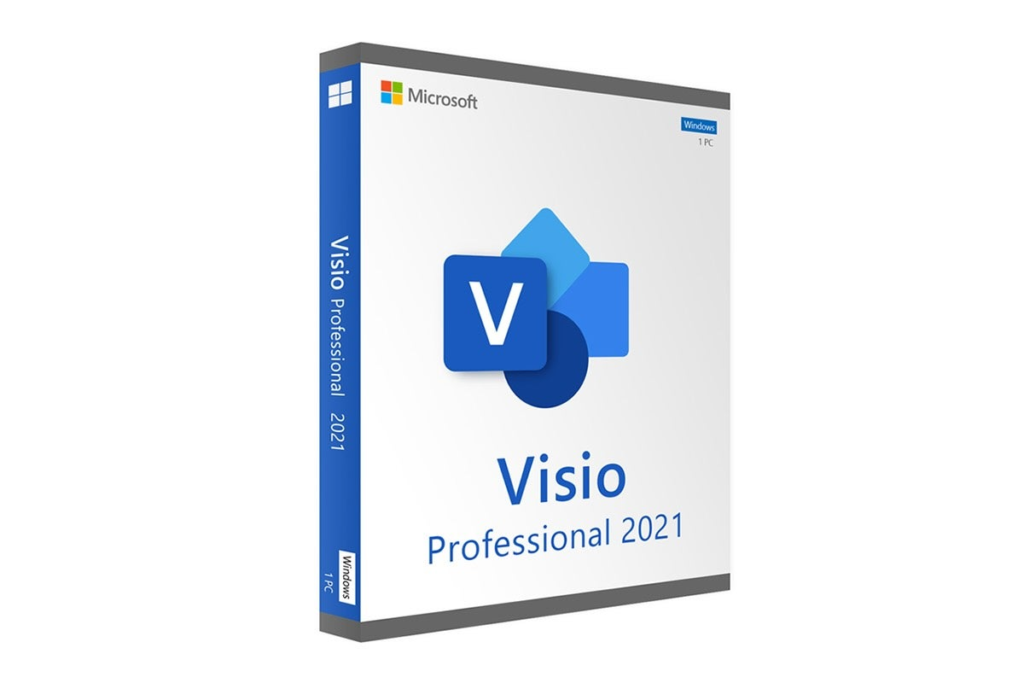
TL;DR: Microsoft Visio Professional 2021 for Windows is a professional diagramming tool that helps you visualize data and structures, and it’s now $17.97 (reg. $249) through November 21. As your business grows, so does the complexity of your processes and structures. Sometimes, the best way to figure out a particular task, issue or concept is by building a diagram. And that is exactly what Microsoft Visio Professional 2021 was made for. This powerful software helps you visualize data and workflows faster, with user-friendly controls and a vast library of templates. Through November 21, you can get a lifetime license on Windows for only $17.97 (reg. $249). Research tells us that the human brain can process images in just 13 milliseconds. That’s way faster than you could ever explain the same information in text. Considering the time you could save communicating with diagrams, you might see the potential to increase efficiency in your business. The only tricky part is compiling the visual content in the first place. If you’re not a designer, it can feel like a painstaking process. Rated 4.9/5 stars by verified purchasers, Visio Professional 2021 is the ultimate shortcut. This diagramming tool makes it super easy to show rather than tell. You don’t even need design chops to use it efficiently. Features The software offers a content library containing over 250,000 premade shapes, stencils and templates, helping you build a wide variety of diagrams. Visio Pro supports flowcharts, mind maps, org charts, reporting structures, floor plans, fishbone diagrams, SWOT analysis, network diagrams and more. Its dynamic design makes it applicable to a wide range of businesses and industries. You can also upload Excel data sets to automatically generate org charts and use your finger or a pen to arrange diagrams on touchscreen devices. With this deal, you get access to a digital download complete with a lifetime license on one device. Order Microsoft Visio Professional 2021 for Windows today for only $17.97, $232 off the full price — only until 11.59 PM PT on November 21. Prices and availability are subject to change. source

Make Better Diagrams With Microsoft Visio Professional 2021, Now $18 Read More »

The 6 Best Free Mac Antivirus Software Providers for 2024

Many Mac users wonder if they need extra antivirus software. The answer depends on what you use your Mac for and where you’re using it from. The macOS operating system is tightly controlled and uses sandboxed apps that are highly resistant to breaches. It also comes with a built-in antivirus program called Xprotect that offers basic protection. For most home users, or for business users already protected by their organization’s premium antivirus software, these features should offer adequate security. On the other hand, those who use their Macs for high-risk activities like Dark Web research, investigative reporting, illegal media sharing, and political activism require advanced security features that Xprotect lacks. Free Mac antivirus software from third-party providers sometimes include extra utilities like password managers or junk file removers as well, appealing to users who need a more complete solution. In this article, I test and compare the top six free antivirus software providers for Mac based on protection capabilities, performance, and usability to help you choose the right solution for your use case. Top free antivirus software providers for Mac 2024 comparison The table below compares the six best free antivirus software providers for Mac based on common features. However, this doesn’t tell the whole story — keep reading for complete reviews that also consider crucial factors like safety, performance, and ease-of-use. Bitdefender: Best overall Image: Bitdefender Bitdefender is a well-respected antivirus provider that offers a free on-demand malware scanner and removal tool for Macs. The software is easy to install and navigate, with a bare-bones interface that nonetheless provides advanced users with granular scanning options for customized protection. The app runs silently in the background, conserving computer resources, so you’ll barely know it’s there. I also appreciated that it didn’t continuously hassle me to upgrade to a paid version, and instead simply included an unobtrusive banner ad at the bottom of the dashboard for those who are interested. SEE: How to Create an Effective Cybersecurity Awareness Program (TechRepublic Premium) Why I chose Bitdefender Bitdefender offers a safe, accurate, lightweight antivirus tool for Macs that provides free access to its independently-validated detection algorithm without any frills. It’s my top overall pick for security-conscious Mac users who need beefier protection without performance trade-offs. Pricing Free for one device. Business plans start at $18.99 per month. Features Hourly virus signature updates. Searches for malware in a wide variety of file types including archives, pdf, pkg, zip, and rar. Growl notifications. Scans running applications and daemons. Can exclude files and folders from custom scans. The Bitdefender free AV dashboard. Image: Nicole Rennolds Pros and cons Pros Cons Top rated protection regularly validated by outside agencies. Some paid security products are Windows-only. Scans don’t use a ton of resources. Offers so many products and plans that finding the right one can be difficult. App runs silently in the background without pop-ups. Malwarebytes: Best cleanup utility Image: Malwarebytes Malwarebytes provides a free virus cleanup tool that’s popular among IT experts because it’s compatible with other security software (including Xprotect) and it’s great at catching the trickier malware that other software couldn’t detect. Malwarebytes is especially useful for Mac users since it’s integrated with the third-party AdwCleaner tool, one of the best utilities for cleaning up adware, bloatware, toolbars, and other potentially unwanted programs from macOS. My main quibble with it is that the software never truly closes while the Mac is running, which could cause performance issues over time. SEE: 6 Best Enterprise Antivirus Software Choices in 2024 (TechRepublic) Why I chose Malwarebytes Malwarebytes is a trusted name in the IT industry for its powerful free malware detection and removal utility. It’s compatible with other AVs and often detects unusual malware that software like Xprotect misses, so I recommend it as a cleanup utility after a known infection. Pricing Free for one device. Business plans start at $119.97 per year. Features Real-time protection scans new files. Trusted Advisor protection score with personalized recommendations. Digital footprint discovery looks for your passwords and other personal data on the Dark Web. Scans for unusual malware and potentially unwanted programs. Customizable CPU usage settings. The Malwarebytes dashboard with Trusted Advisor score. Image: Nicole Rennolds Pros and cons Pros Cons Integrated one of the best cleanup tools for Macs. Free version never truly closes and continues using CPU resources. Works well with other AV solutions. May not be as accurate for frontline virus detection. Catches unusual threats that other tools miss. Avira: Best for free add-on features Image: Avira The Avira antivirus software for Mac packs a lot of extra security features and tools into its free offering. It’s the only option on this list to provide free scheduled virus scanning, allowing you to run scans automatically while you’re away from your Mac so you can avoid the performance impacts. Avira also provides a free VPN service with 1 GB of monthly traffic, a free password manager, and a junk file cleanup utility. On the other hand, while it’s a reputable company that’s regularly validated by outside agencies, Avira does constantly pester you with pop-ups and nudges to upgrade to a paid plan, giving it the feeling of an untrustworthy or even scammy service. SEE: Best Mac Password Managers (TechRepublic) Why I chose Avira Avira provides a lot of extra security tools for budget-conscious users who want more than basic antivirus. Its constant pop-ups can get frustrating and don’t help with the performance impacts, but Avira is a trusted company for endpoint protection. Pricing Free for one device. Paid plans start at $9.99 per month. Features Real-time scans of new files. Free scheduled virus scans. VPN with 1 GB bandwidth. Password manager. Junk cleaner. Avira’s free scheduler options. Image: Nicole Rennolds Pros and cons Pros Cons Protection regularly tested by third-party agencies. Lots of pop-ups and nudges to upgrade to a paid plan. Highly customizable app with lots of free add-ons. Can slow down other applications while scans are running. More cloud security coverage Features Real-time threat protection. Exception

The 6 Best Free Mac Antivirus Software Providers for 2024 Read More »

9 Worthwhile Product Launch Templates for Busy Leaders

Launching a product doesn’t have to feel like blindly solving a Rubik’s cube — the right product launch template will help you map out your strategy, high-level goals, in-the-weeds details, and all the work it’ll take to get there. These are some of the best tools and templates to start with, whether you’re introducing your first digital course or your tenth physical product to the market monday.com: A product launch template for marketing teams monday.com is an all-in-one tool for launching products, managing marketing campaigns, and handling dozens (or hundreds) of projects. The free plan comes with two user seats, over 200+ templates, and three project boards. It’s fine if you’re just getting started or want to try monday.com, but teams will likely have to upgrade to a paid plan pretty quick. My favorite product launch template is specifically for marketers — it helps ensure brand messaging is consistent and that all of your promo materials align along the way. More on monday.com: monday.com Review | monday.com vs Wrike | monday.com vs Airtable. Align marketing and launch activities with monday.com. Image: monday.com monday.com makes it easy to switch between big picture planning and weekly tasks. This helps marketing teams stay focused on their priorities while never losing sight of the high level launch plan. It’s a fully customizable template with 30+ column types, giving you everything you need to make it work for your team. You can use it to create pre-launch campaigns and keep all of your assets organized for emails, social posts, blogs, PR campaigns, and more. With advanced features like real-time notifications for completed tasks, you can quickly start work on the perfect email or press release when the product images or live demo is ready to share. While monday.com is great for all types of teams, this one’s specifically focused on marketing teams. You can share it with other department heads and leaders or connect it to other team boards within the platform, but everything was designed around what marketers need. ClickUp: Comprehensive product launch checklist + template ClickUp is another option that works well for teams of all sizes. Whether you’re launching a physical product or new software, the platform works great for tracking tasks and keeping your entire company on the same page. The free forever plan is one of the best out there with unlimited users and tasks. You can use it for quite a while, even if you’re a small team. While it’s not as flexible as monday.com, it’s more affordable and gives you far more functionality at a lower price. More on ClickUp: ClickUp Review | ClickUp vs Asana | ClickUp vs Notion. ClickUp’s product launch template works equally well for new products, relaunches, small teams, departments, and entire businesses. Image: Clickup.com The best product launch template for ClickUp is an advanced solution for planning and executing detailed launch strategies. Out of the box, it works great for analyzing market trends, planning surveys focused on your target audience, and finalizing your pricing strategy prior to launch. You can also create a custom checklist that includes subcategories for each task, which is super helpful if ownership of different phases is assigned to different teams. From there, it’s easy to turn it into a timeline to ensure everything’s on schedule. You can even set milestones to signify major events along the way. With nearly a dozen built-in project views, ClickUp makes it easy to visualize work in different ways, depending on what you want to see. Kanban board is great for individual contributors while timelines and dashboards are game changing for managers. The biggest downside? This template is likely overkill if you’re a solo user as it has a ton of collaboration features you’ll never use. But its flexibility, feature-rich nature, and collaborative environment make it a no brainer for teams of all sizes. Wrike: A product launch template with sequential phases Wrike is a more rigid project management platform that’s excellent for mid-sized and large teams. Smaller teams can use it for free, but it’s pretty limited compared to other free plans we’ve looked at as it’s not really meant to be used long-term. Overall, it’s a great option for managing product launches because it has everything you need to execute your plan and continue supporting the product post-launch. The official product launch template is well done with pre built views, workflows, and instructions on how to make the most of it. More on Wrike: Wrike Review | Wrike vs Smartsheet | Wrike vs. Asana. Map out your entire launch plan then break it into sensible phases with Wrike. Image: Wrike.com By default, this Wrike template breaks down every product launch into three distinct phases — pre-launch, product launch, and post-launch. This can help make massive projects feel less overwhelming since you can focus on the phase you’re in while planning ahead so you’re always prepared for what’s next. The structure makes a lot of sense because most launches have tasks that should be done in a sequential order. With other tools, tracking these dependencies can get complicated. With this template, it’s easy to set them up and understand what should happen when. After all, you can’t really work on product messaging or creatives until you’ve chosen a target audience. Product managers can also use Wrike to identify potential roadblocks before they become a bigger problem and force you to push back your launch date. You’ll also be able to track the progress of the entire project, each phase, and tasks with subtasks using its built in timeline view. Once a task has a deadline, visualizing its status and understanding its impact on other parts of your launch is a breeze. The biggest downside of this template is how long it takes to set up. There’s a bit of configuring you’ll have to do before it’s ready for you to use. You’ll likely also have to continuously make tweaks until it works how you need it to. Teamwork: A collaborative launch

9 Worthwhile Product Launch Templates for Busy Leaders Read More »

Dell Unveils AI and Cybersecurity Solutions at Microsoft Ignite 2024

Dell pulled the tarp off several new connected services during Microsoft Ignite, an annual conference hosted by Microsoft that is designed for developers and IT professionals. Several services are intended to take guesswork or security concerns from deploying generative AI, particularly on Microsoft’s Copilot+ PCs. Dell takes on the management of APEX File Storage for Azure APEX File Storage has been available for Azure for some time. However, starting with a public preview in the first half of 2025, customers will have an option for Dell to fully manage it. Unlike Dell, which provides a customer-managed service, APEX File Storage can be used as an Azure-native ISV service. Microsoft Azure administrators will be able to add on Dell APEX Protection services as well. APEX Protection Services uses Zero Trust principles, machine learning, analytics, and forensics tools to protect critical data against ransomware. Dell APEX Protection services for Microsoft Azure are set for release in the first half of 2025. Must-read security coverage Copilot and Azure AI services aim to simplify AI adoption, particularly on Microsoft’s AI PCs Microsoft’s ongoing push of its Copilot AI assistant and Copilot+ PCs has generated corresponding Dell offerings: Dell Services for Microsoft Copilot Studio (low code) and Azure AI Studio (pro code). These are intended to help customers leverage AI capabilities in ways that best match their needs and skill sets. They identify use cases and help customers create bespoke Copilots or other AI solutions. Overall, the goal is to provide frameworks that make it easier to launch AI projects. For Microsoft’s Copilot+ PC, Dell Accelerator Services for Copilot+ PCs offers “optimized usage recommendations” based on employee persona buckets and company goals. It also provides an environment for experimenting with AI. This ranges from data on how NPU utilization affects the client organization’s Al workloads to tips on optimizing Windows 11 settings and Microsoft Intune management for IT teams. The goal is to “maximize the Copilot+ experience and outcomes,” said Dell Vice President of Professional Services Scott Bils in a news briefing on Nov. 13. SEE: Checklist: Securing Windows 11 systems (TechRepublic Premium) Security services added to existing APEX and MDR offerings Other announcements focused on security services. Dell APEX Protection Services for MS Azure is now available as a Dell Managed service. APEX protection includes secure storage, encryption, MFA, AI analytics for attack detection and recovery, and the cyber vault for critical data. Dell APEX Protection Services for MS Azure provides a “simplified approach towards protecting and safeguarding their critical data from ransomware as well as cyber threats through a fortified digital vault in Azure,” said Dell Senior Vice President of ISG and Telecom Product Marketing Varun Chhabra at the news briefing. Lastly, Dell’s Managed Detection and Response now interoperates with Microsoft Defender XDR. This marks a Windows-friendly expansion of Dell’s existing security consultation and advisory solutions. Dell has “paired this industry-leading capability with our certified security experts that help customers stand up and deploy, implement the Microsoft Defender XDR solution, but then also provide support if and when a breach occurs,” Bils noted. Dell adds assistance with CMMC defense certification Dell has rolled out the Cybersecurity Maturity Model Certification alignment for U.S. federal contractors for Microsoft. The certification is a service that helps companies comply with the DoD CMMC standard. CMMC version 2.0 will be rolled out in 2025 and included in DOD contracts starting in December 2024. This service can help companies create a roadmap to align with version 2.0’s requirements. source

Dell Unveils AI and Cybersecurity Solutions at Microsoft Ignite 2024 Read More »

Vishing, Wangiri, and Other VoIP Fraud Tactics On the Rise

VoIP fraud is a serious and growing threat to businesses, with attackers increasingly targeting cloud phone systems to exploit vulnerabilities for financial gain. This type of fraud involves unauthorized access to a VoIP network, often for making costly international calls or redirecting traffic to premium-rate numbers. But there are many types of VoIP fraud, and not all of them rely on premium-rate number schemes. In this post, we’ll explore common VoIP fraud tactics and offer practical steps to protect your business from these threats. 1 RingCentral Office Employees per Company Size Micro (0-49), Small (50-249), Medium (250-999), Large (1,000-4,999), Enterprise (5,000+) Medium (250-999 Employees), Enterprise (5,000+ Employees), Large (1,000-4,999 Employees) Medium, Enterprise, Large Features Hosted PBX, Managed PBX, Remote User Ability, and more 1. Vishing Also known as voice or VoIP phishing, vishing is a tactic that involves social engineering to extract company credentials, like logins, passwords, employee IDs, and other types of business or personal data. Scammers often use VoIP, along with voice-altering software, and other tactics to disguise their identities to pretend they’re someone else, usually someone in a position of authority. Callers then persuade their targets to give up valuable data. This type of scam can take many other forms. With AI and deep fakes, scammers can put on a much more convincing facade. A UK-based energy company’s CEO was scammed out of $243,000 through a deep fake vishing attack, for instance. Train employees on how to take precautions when picking up unexpected phone calls and spot common social engineering attacks, like scammers instilling a sense of urgency or refusing to go into the details after specific questions. Download this free social engineering cheat sheet to help your business harden security against these threats. 2. Wangiri Wangiri loosely translates to “one ring and cut” in Japanese (where this scam originated) and it works exactly the way it’s called. Your phone rings once and then just cuts. The scam is designed to spark your curiosity and make you call back so you can be charged abnormally high international rates. It’s generally accompanied by pre-recorded messages to trick you into thinking you’re talking to the original caller. These messages usually say that they can’t hear you and you should call back to keep you on the line for as long as possible and urge you to call back, so you can be charged all over again. VoIP systems and automated dialers made this scam a lot more common. They allow scammers to make hundreds of calls simultaneously for cheap. There’s also a variation of this scam specifically targeting businesses—Wangiri 2.0. It involves bots spamming business contact request forms with premium-rate numbers to generate callbacks. If businesses do call back, they will have to pay up. The good news, Wangiri is pretty easy to spot once you know how it works. The distinct one-ring (sometimes two) calls along with their international phone numbers are tell-tale signs, so let employees know about them. Also, most of the top VoIP phone services offer advanced call-blocking features, which can automatically block suspicious incoming phone calls. Geo permissions are also a good idea—they let you restrict traffic outside your area of operation. 3. VoIP toll fraud If attackers gain unauthorized access to a business’s VoIP system, they can start blasting out fraudulent calls to high-cost international or premium-rate numbers. Typically, the way this works is that the attacker has a revenue share deal orchestrated with the owner of the premium number. I have spoken with a managed service provider who told me that one of his clients (before they were his client) discovered $18,000 in fraudulent charges to their business phone system. The poor company was on the hook for all of it, and only spotted the fraud when the bill from their vendor came. This type of fraud usually starts with attackers identifying a vulnerable phone system and breaking in. It could be an open port, unsecured endpoint, or compromised credentials. Once the attacker is on the system, they start making calls unnoticed, often during off-hours or spread over time. To protect against this, businesses should implement VoIP security best practices, such as setting up firewalls, regularly updating software, and using strong passwords. Monitoring call details records for unusual activity and setting call limits can also help prevent large-scale fraud. 4. Caller ID spoofing Caller ID spoofing is not necessarily malicious, but it’s often used as part of larger scams to help hide the attacker’s identity and increase the likelihood of having victims pick up the call. This practice involves manipulating the caller ID to display a different name or phone number other than the original — the IT guy’s phone number looked local to you, but the real phone number was actually from a different country. That’s how caller ID spoofing works. Besides helping them pretend they’re someone else, attackers can also use caller ID spoofing to disguise robocalls with expensive international numbers — like Wangiri, but less obvious. Again, be cautious of unexpected phone calls, even if the caller ID seems familiar. Don’t give out personal details and try to ask specific questions to throw attackers out. If the call is accompanied by pre-recorded messages, hang up — it’s probably a robocall. 5. PBX hacking This tactic involves hackers infiltrating your private branch exchange (PBX) through various methods. SEE: Learn fast facts you need to know about PBX.  For instance, hackers will remotely get into a business’s voicemail box by figuring out the voicemail PIN. The problem is, some businesses don’t change the default PIN — usually the last four digits of the phone number, which is easy work for hackers. From there, hackers access the business’s call forwarding settings and change the number to their pay-per-minute line. The next time someone makes a call, the voicemail will redirect to that pay-per-minute line, which of course, comes at huge rates. For cloud PBX systems, hackers can find a PBX’s IP address and then brute force the login credentials to get

Vishing, Wangiri, and Other VoIP Fraud Tactics On the Rise Read More »

7 Free Editorial Calendar Templates You Can Use Right Now

Managing content at scale is a challenge — staying organized, deciding what to post, assigning writers and editors, and monitoring results requires a lot of moving parts. The more people involved, the more complex the system. Editorial calendars simplify all of this. They provide a big-picture overview, making it much easier to strategize and schedule out the week, month, or year. After nearly a decade of managing high volume content teams, here are my favorite no cost editorial calendar templates for different tools. Monday.com: A comprehensive editorial calendar template Monday.com’s editorial calendar template delivers a pre-built content calendar that’s easy to customize alongside team collaboration features and task management capabilities from one of the best project management solutions on the market. It’s great for high level strategy, work management, and centralized content operations out of the box. More on monday.com: monday.com review | Asana vs monday.com | monday.com vs Jira. monday.com’s editorial calendar template doubles as a project management tool. Image: monday.com This template can be used for any and all types of content — from blog posts and ebooks to social media and video, it’s flexible enough to support all of your publishing activity. You can set up a color-coded system to prioritize your most important content and use custom tags to filter everything in a way that’s easy to understand. No matter how stacked your publishing schedule becomes, you’ll always know what’s ahead. If you’re a solo user, it’s likely overkill unless you customize it. However, it’s perfect if you’re working with at least several other people or a full content team. You can use this template, along with 200 others, at no cost with monday.com’s free plan. Pros Cons Tag team members and manage your content workflow. Easy to see if anything is running behind schedule. Template integrates with over 200+ tools. Not ideal for low-volume publishing. Free plan only includes two users. ClickUp: A beginner-friendly editorial calendar template Similar to monday.com, ClickUp is a complete project management solution. The two platforms are nearly identical in terms of features and capabilities, so choosing one over the other mostly comes down to personal preference and price. That said, ClickUp’s editorial calendar template is a bit easier to use out of the gate, especially for beginners. More on ClickUp: ClickUp review | ClickUp vs monday.com | ClickUp vs Notion.  Sign up for a free ClickUp plan to start using this beginner-friendly editorial calendar template. Image: Clickup.com Aside from the traditional calendar, ClickUp gives you five additional views, including a list view, content request view, resource view, and keywords view. Thanks to these extra views, keeping track of deadlines and managing every aspect of your production flow is a breeze. You can also add custom attributes to each piece of content, like the channel, publication date, editor, and even the CTA you’re using. Once you add these, you can track the performance of granular details for all the content you publish. Adding custom attributes takes a few clicks and you can add as many as you need. Because ClickUp is a project management tool, you’re also getting all of the essentials for team collaboration, assigning tasks, and setting due dates. Overall, this template is great whether you’re planning years in advance or just a few weeks. You can start using this template with ClickUp’s free plan in the next five minutes. Plus, ClickUp’s paid plans are more affordable than monday.com. Pros Cons Easy to use, even if you have zero experience with project management tools. Keep track of different content types, writers, and other team members. Multiple views allow you to visualize your strategy. Custom status columns are limited. Gets confusing if you add too many subtasks. Smartsheet: A template for brainstorming and managing content Smartsheet’s editorial calendar template includes an area for brainstorming content ideas and moving the best ideas into your production workflow. It works well for any type of content from videos and images to blog posts, podcasts, and guest posts. It also gives you everything you need to see your schedule by month or year at a glance. More on Smartsheet: Smartsheet review | Smartsheet vs Airtable | Smartsheet vs Asana.  Pick your favorite calendar view or use a combination of multiple tabs to manage your editorial planning. Image: Smartsheet.com You can use this template with Smartsheet, but the tool itself doesn’t have a free plan. If you don’t want to pay, you can download the template and use it with Excel or Google Sheets instead. Either way, you’ll be able to assign tasks, set publishing dates, take notes, leave comments, and stay on top of missed deadlines. That said, it doesn’t traditionally look like a calendar unless you use it with Smartsheet. Instead, you’ll see a table with all of your scheduled content for each month. If you’re a fan of lists and tables, it’s more than enough. Using it with Smartsheet also gives you additional capabilities, including a Gantt chart, automations, basic workload tracking, attachment storage, and more. However, Smartsheet is on the more expensive end of project management and relational database solutions. Pros Cons Good for solo content creators. Use for free with Google Sheets or Excel. Easy to plan multiple months in advance. Dedicated tab for brainstorming. Smartsheet doesn’t have a free plan. Limited views compared to other templates. Airtable: A digital and print editorial calendar template Airtable is an advanced relational database solution that gives you everything you need to build a custom editorial calendar that matches your workflow. Think of it as a blank slate you can customize as much (or as little) as you’d like. If you handle print media, the print editorial calendar template lets you easily manage print and digital media in the same place. More on Airtable: Airtable review | Airtable vs monday.com | Airtable vs Notion.  Manage all of your print content and digital content from a single source of truth with Airtable’s free editorial calendar template. Image: Airtable.com Unlike other templates so far,

7 Free Editorial Calendar Templates You Can Use Right Now Read More »

Where to Recycle Old Mobile Phones: 10 Top Locations & Programs

For those possessing an “old electronics” box sitting in a basement or merely an iPhone that has seen better days, it’s worth considering recycling. Where is the best place to recycle old cell phones? If you don’t want to spend hours finding the right place to recycle your old cell phones, here is a list of 10 options. Some are buyback programs or official channels, and others are nonprofit donations. 1. Best Buy Best Buy has recycling kiosks in its stores in the U.S. and offers free in-store recycling. The company typically limits the number of devices to three per family per day. It works with recycling companies to ensure that phones and other electronics aren’t in landfills. 2. Staples Staples accepts laptops, mobile phones, batteries, accessories, and more. Staples has over 1,000 stores in the U.S. and some international locations. The stores offer gift cards in exchange for trade-ins of certain devices. Rewards members can rack up points for bringing in devices to recycle. 3. Your carrier or manufacturer Many carriers or manufacturers offer recycling programs. AT&T has a trade-in program for unwanted phones and accessories regardless of manufacturer or carrier. The owner gets a “promotion card” to reduce the price of a new phone or other purchase. Verizon also offers a trade-in program in which the owner receives an electronic gift card once they send in the phone and have it appraised. Apple stores and Google recycle used products for free. 4. Local establishments Your city undoubtedly has places to recycle old phones. Most government websites, including those in New York City, offer directions on where to recycle phones. Many cities have nonprofits that donate old phones as well. The EPA has an option to find out what electronics you can recycle with mail-in options. SEE: Recycling plastics and other waste can be a key part of tech products’ life cycles. Mobility must-reads 5. Eco-Cell Eco-Cell is a Louisville, Kentucky-based e-waste recycling company. It partners with nonprofits and organizations such as the Jane Goodall Institute. Bins are located in coffee shops and other businesses nationwide, where the collected phones are shipped to Eco-Cell in Louisville. If the phones are reusable, they resell them and pass some of the money back to the owner. If they are not reusable, the phones are recycled, and the owner is paid the money for the value of the recycled materials. 6. Medic’s Phone Donation Program The Hope Phones campaign was started in 2009 by Medic Mobile, which works to advance health care in 16 countries by using mobile technology. Now known as Medic’s Phone Donation Program, individuals, nonprofits, groups, or businesses can donate old phones. The mobile devices are recycled and valued, so the nonprofit can get new technology for the field. Most old models are valued at $5, but newer smartphones are regularly valued at $80, according to the website. Send a phone to the program by boxing it up and shipping it to the Colorado address provided on the website. 7. Cell Phones for Soldiers Cell Phones for Soldiers is a nonprofit that provides cost-free communication services to active-duty military and veterans. Proceeds from the phones go to purchasing international calling cards. New or gently used mobile phones are accepted, and each device valued at $5 turns into 2.5 hours of free talk time for the soldiers. 8. Gazelle Gazelle is one of the most popular trade-in options for old cell phones. The resell company is headquartered in Boston, Louisville, Kentucky, and Texas. Select your phone’s brand, model, and carrier, describe its shape, and then get an offer. Ship it for free, and receive a check or a gift card to Amazon.com or PayPal after Gazelle assesses its worth. 9. Call2Recycle Call2Recycle is a no-cost recycling program for batteries and cell phones in the U.S. and Canada. It has collection boxes that can be placed anywhere with shipping permits, so mailing them is easy. Call2Recycle offers bulk shipping if you want to send them any recyclables. 10. EcoATM EcoATM is an automated kiosk that collects your unwanted cell phones and tablets and gives you cash for them. It’s made by the same people who make CoinStar, so you’ll find them by the checkout lines at various grocery store chains. It accepts devices from any era or in any condition and offers anywhere between a few bucks to a few hundred dollars in return. EcoATM partners with R2-certified e-waste reclamation facilities to ensure they are recycled or give the phones a second life. Some users report technical issues with EcoATM machines or receiving less cash than expected. When recycling money devices, be aware that the trade-in ecosystem can be volatile. Services provide an estimate upfront but may pay differently once they inspect a specific device. What should you do with old mobile phones? Consider upgrading the hardware or software of your old mobile phone as much as possible before trading it in for a new model, as long as everything works properly. Don’t throw it out at the curb if you wish to dispose of it. Electronics and their batteries are illegal to dispose of in the trash in some states due to the toxic substances their innards contain. Batteries, in particular, can be hazardous to dispose of. How to prepare a cell phone for recycling? Be sure to deactivate your phone service and remove any data you want to keep. You may want to wipe a phone using the factory reset option before recycling to remove your personal data. If you send your device to a program where it will be physically recycled, any personal data on that phone will be destroyed. If a phone is refurbished, personal data will be removed. source

Where to Recycle Old Mobile Phones: 10 Top Locations & Programs Read More »

5 Best VPNs for Streaming in 2024

While streaming services like Netflix and Disney+ have made watching our favorite TV shows and movies much easier, there is a challenge that remains — geo-blocking. If you’ve ever traveled abroad and tried accessing your streaming subscription, you know that some of your go-to content can be restricted depending on your location. Copyright and licensing restrictions for these mean that not all the content you’re used to having will be available in different countries. For businesses, this can affect you in various ways. For example, businesses in the hotel industry would have a hard time providing patrons with their favorite entertainment; frequent business travelers won’t have access to their favorite shows or movies while abroad — all due to geo-restrictions imposed on streaming services. This is where virtual private networks, or VPNs, come in. VPNs are software that lets you change your IP address and make it appear like you’re in a different location while browsing the internet. With this, you’ll be able to access your favorite streamed content regardless of where you are. In this article, we look at the five best VPNs for streaming. ESET PROTECT Advanced Employees per Company Size Micro (0-49), Small (50-249), Medium (250-999), Large (1,000-4,999), Enterprise (5,000+) Any Company Size Any Company Size Features Advanced Threat Defense, Full Disk Encryption , Modern Endpoint Protection, and more ManageEngine Log360 Employees per Company Size Micro (0-49), Small (50-249), Medium (250-999), Large (1,000-4,999), Enterprise (5,000+) Micro (0-49 Employees), Medium (250-999 Employees), Enterprise (5,000+ Employees), Large (1,000-4,999 Employees), Small (50-249 Employees) Micro, Medium, Enterprise, Large, Small Features Activity Monitoring, Blacklisting, Dashboard, and more Graylog Employees per Company Size Micro (0-49), Small (50-249), Medium (250-999), Large (1,000-4,999), Enterprise (5,000+) Medium (250-999 Employees), Enterprise (5,000+ Employees), Large (1,000-4,999 Employees) Medium, Enterprise, Large Features Activity Monitoring, Dashboard, Notifications Top VPNs for streaming comparison Since we’re using VPNs for streaming, a VPN’s server network and server locations are top priorities. These two features have the most impact on the amount of geo-restricted content we can unblock. Surfshark: Best overall streaming VPN Our rating: 4.6 out of 5 Image: Surfshark I highly recommend Surfshark for users looking at an all-around solution. Surfshark is a value-for-money VPN that provides almost everything you need to stream geo-restricted content. It has a decently sized server fleet of 3,200 servers, spread out across 100 countries. The 100-country server network is important, as this allows users a wider selection of streaming platforms they can unblock. In my experience, Surfshark also provides consistently fast speeds. This makes it a perfect choice for people who aren’t too keen on waiting for their shows to buffer. Surfshark also allows for an unlimited number of simultaneous device connections. This means you won’t have to spend for an additional subscription to protect multiple devices and users. Why I chose Surfshark I chose Surfshark for its strong balance of VPN features, overall value, and pricing. In particular, its 100-country server network and unlimited simultaneous device connections make it a great option to unblock streaming services and the content they carry. SEE: What Is a VPN? Definition, How It Works, and More (TechRepublic) Pricing Surfshark has three plans, divided into Starter, One, and One+. Starter comes with the main VPN and an ad blocker, while One includes a private search engine and data breach alerts. One+ has all One features and provides the ability to remove user information from company databases. All three plan options have a one-month, one-year, and two-year plan. Here’s an overview of all Surfshark one-year subscription plans: Surfshark Starter: $2.99 per month. Surfshark One: $3.39 per month. Surfshark One+: $6.09 per month. Features 3,200 servers in 100 countries. RAM-only servers. Unlimited simultaneous device connections. Independently audited no-logs policy. Surfshark’s server list and quick-connect button. Image: Luis Millares Surfshark pros and cons Pros Cons Affordable pricing. No free version. Fast VPN speeds. Can protect multiple devices at no additional cost. In our hands-on review, Surfshark VPN received a score of 4.6 out of 5 stars. NordVPN: Best for speed and stability Our rating: 4.7 out of 5 Image: NordVPN If speed is your main concern, choose NordVPN. While it’s known for its privacy-focused features, NordVPN also provides some of the fastest performance among the VPNs on this list. When I tested NordVPN, I maintained fast speeds and didn’t experience a single drop in connection while doing multiple things at once. Per my findings, I don’t think any streaming fanatic will have trouble streaming high resolution content on their device. As of publication, NordVPN has 6,290 servers in 111 countries — which is more than what Surfshark currently offers. While not the only factor, this larger server suite plays a big part in the fast VPN speeds we get with NordVPN. Take note, however, that Surfshark is still more affordable than NordVPN and provides unlimited device connections compared to NordVPN’s six-device limit. Why I chose NordVPN I selected NordVPN for its top-tier speed performance, making it a great option for users that want the fastest speeds for streaming their favorite content. Pricing NordVPN has three tiers: Basic, Plus, and Complete. For streaming, Nord’s Standard plan is all you need. If you opt for their Plus tier, you get data breach scanning functionality and the NordPass password manager. Complete bundles all these features with an additional 1TB of encrypted cloud storage. SEE: Best Free VPNs for 2024 (TechRepublic) We get monthly, one-year, and two-year plans for all three tiers. Here’s a rundown of the prices for a one-year subscription on each tier: NordVPN Basic: 1 year: $4.99 per month. NordVPN Plus 1 year: $5.99 per month. NordVPN Complete 1 year: $6.99 per month. Features 6,290 servers across 111 countries. Dark Web Monitor. AES-256 encryption. Threat protection against ads, trackers, and malware. NordVPN server list and map. Image: Luis Millares NordVPN pros and cons Pros Cons Fast and reliable speeds. Only six simultaneous device connections. Offers a suite of privacy and security features. More expensive than Surfshark. Independently audited no-logs policy. In our hands-on

5 Best VPNs for Streaming in 2024 Read More »

EU Fines Meta Nearly €800 Million over Facebook Marketplace

It’s been a tough week over at Meta HQ, as the European Commission has slapped the tech giant with another fine for tying Facebook Marketplace, its classified-ad service, to Facebook and using non-public advertising data. Authorities are demanding €797.72 million for Meta, which is essentially giving Marketplace an unfair advantage over competing digital storefronts. Marketplace was set up in 2016 as a way for individuals to buy and sell items over social media, typically furniture. EU says Meta violates antitrust laws, restricts competition The Commission has two main problems. The first is that “all Facebook users automatically have access and get regularly exposed to Facebook Marketplace whether they want it or not,” and competitors cannot reach the same level of exposure. The second is that competitors must consent to Meta using their data if they want to advertise on Facebook or Instagram. This data could benefit Marketplace, and the Commission says that requiring it is “unjustified, disproportionate and not necessary for the provision of online display advertising services on Meta’s platforms.” The U.K.’s Competition and Markets Authority has also questioned Meta’s data practices, arguing that they might give Meta an undue competitive advantage. However, the authority ended its investigation after Meta agreed to limit its use of advertising data and allow advertisers to opt out of their data being used. Margrethe Vestager, the outgoing European Commissioner for Competition, said that these practices provide Meta with “advantages that other online classified ads service providers could not match.” “This is illegal under EU antitrust rules. Meta must now stop this behaviour,” she said in the press release. SEE: Apple’s Geo-Blocking Practices Could Violate EU Rules Meta’s ownership of Facebook and Instagram makes it dominant in the markets of social media and digital advertising on social media. While this is not illegal in itself, it gives it a responsibility to not abuse its position by restricting competition in these two markets, according to European law. The Commission first opened proceedings into Meta’s possible anticompetitive conduct in June 2021 and issued initial charges via a Statement of Objections in December 2022. The fine was calculated by considering the duration and gravity of the infringement, as well as Meta and Marketplace’s respective turnovers. When paid, the money will go towards the general E.U. budget, reducing Member States’ contributions the following year and the burden on taxpayers. Must-read big data coverage Meta to appeal fine, denies Marketplace and ad data claims Meta immediately responded to the Commission’s announcement, saying it would appeal the fine. Mark Zuckerberg’s company says the authority “ignores the fact that Facebook users can choose whether or not to engage with Marketplace” and that it doesn’t use competitors’ data to benefit Marketplace, having “built systems and controls to ensure that.” It added that the Commission “provides no evidence of competitive harm to rivals or any harm to consumers,” using eBay, Leboncoin, and Marktplaats as examples of rivals that still achieve success. Regardless, Meta pointed out that E.U. competition law does not “preserve the established business positions of incumbent providers in the face of innovation.” Meta also referenced a September report by former European Central Bank President Mario Draghi that called for an overhaul to enhance the region’s competitiveness and innovation, arguing that the fine contradicts those goals. The tech giant cited this report again a few days ago after conceding to regulators regarding its advertising practices. The EU’s ongoing pursuit of Meta’s advertising practices Vestager has long had Meta and rivals such as Apple, Google, and Amazon in her crosshairs. The name of the game is to protect E.U. citizens’ digital autonomy and hold tech giants accountable for their data collection and privacy practices. Much of Meta’s revenue comes directly from the clicks and engagement targeted ads on Facebook and Instagram generate. Thus, losing a segment of user data as big as the E.U.’s 27-nation population could harm their continued growth, so Meta has a financial interest in conceding with the E.U.’s demands. In the third quarter of this year, 23.5% of its advertising revenue was generated by European users. Meta is currently challenging the Commission for including Marketplace and Messenger on the list of core platform services that must comply with the DMA’s requirements, as they provide “an important gateway for business users to reach end users, A company spokesperson told The Verge that Marketplace shouldn’t qualify because it’s a consumer-to-consumer service, and Meta does not sit in the middle. Compliance with the DMA means Meta will have to follow rules on data sharing and interoperability, which could impact its competitive edge. Meta was also fined €110 million by the Commission in 2017 for providing misleading information during its acquisition of WhatsApp three years prior. The company had assured regulators it couldn’t automatically link user accounts between the two platforms but later introduced features that do so. SEE: EU’s AI Act: Europe’s New Rules for Artificial Intelligence Over the years, Europe’s Data Protection Commission has fined Meta several times for violating GDPR rules based on its targeted advertising practices. In addition to the DMA and GDPR, Meta must comply with the Digital Services Act, a set of rules designed to regulate how designated “Very Large Online Platforms” handle privacy, protect their users, and operate transparently. But it’s not just advertising data that Meta and the E.U. are warring over. In June, Meta delayed the training of its large language models on public content shared on Facebook and Instagram in Europe after regulators suggested it might need to get the consent of the content’s owners. Meta AI, its frontier AI assistant, has still not been released within the bloc due to its “unpredictable” regulations. Representatives from Meta, along with Spotify, SAP, Ericsson, Klarna, and more, signed an open letter in September to Europe expressing their concerns about “inconsistent regulatory decision-making.” The letter says that interventions from the European Data Protection Authorities have created uncertainty about what data they can use to train their AI models. source

EU Fines Meta Nearly €800 Million over Facebook Marketplace Read More »

Microsoft Reveals Mini PC for Easy Access to Windows 365

Microsoft announced its plans to release Windows 365 Link, a mini PC intended for commercial customers who want employees to access Windows 365 on the cloud. The device costs $349, uses a version of Windows 11, and connects to various wired and wireless peripherals, including 4K monitors. Windows 365 Link will be available in select markets in April 2025. Early adopters in the U.S., Canada, U.K., Germany, Australia, New Zealand, and Japan can apply through their Microsoft account team for a preview before Dec. 15. A small form factor becomes a big portal to the cloud Windows 365 Link is a streamlined way to access Microsoft 365 on Windows Cloud PCs. At 4.72 inches x 4.72 inches x 1.18 inches, the puck is easy to distribute and move around an office or other workspace. An example setup shows Windows 365 Link connected to two monitors, a keyboard, and a mouse. Image: Microsoft “Krones AG is using Windows 365 Link on our shop floor to connect to Windows 365 in seconds,” Roman Kleyn, head of workplace design at manufacturing company Krones AG, said in a press release. “It’s quick and easy for our workers to get back to work right where they left off, even as they rotate between stations.” Employees log in to Windows 365 virtually through the puck. From there, they can use Teams or Webex meetings, use Excel, check email, and more. The box has no moving parts — not even a fan — so it’s durable enough to be moved from office to meeting room. Microsoft hopes the durability will reduce waste since people tend to retain devices, the company said in a press release. The Microsoft 365 Link includes the following ports: Three USB-A 3.2 ports. One USB-C 3.2 port. One HDMI port. One DisplayPort. 3.5mm headphone jack. Ethernet port. Kensington lock slot. A port for the power cord. The back view of Windows 365 Link reveals the ports. Image: Microsoft To use Windows 365 Link, organizations must have Windows 365 with Microsoft Intune and Microsoft Entra ID. More about Innovation What IT professionals need to know about Windows 365 Link For IT teams, Windows 365 Link endpoints can be managed using Microsoft Intune, just like with any other PC. Find Windows 365 Links by searching for device names or SKU families starting with WCPC. SEE: November’s Patch Tuesday brought many security updates, including patches for actively exploited vulnerabilities. The cloud PC’s variant of Windows 11 creates no local data or apps and has no local admin user accounts, eliminating some common pathways for attackers. Microsoft applied its usual suite of security tools to the device. When employees log in, the puck performs passwordless authentication through Microsoft Entra ID. Options for multifactor authentication include: The Microsoft Authenticator app. A cross-device passkey using a QR code. A FIDO USB security key. Competitors to the Microsoft 365 Link Other companies — Citrix, Dell, Intel, HP, Lenovo, and more — make small client PCs. Microsoft may be betting on business customers choosing Windows 365 Link to stay inside the Redmond ecosystem. source

Microsoft Reveals Mini PC for Easy Access to Windows 365 Read More »